
API overview
Quick answer
ScrambleSync provides a versioned REST API at https://scramblesync.com/api/v1. It lets your systems read and manage contacts, tournaments, teams, the live leaderboard, registrations, invitations, and webhooks, all over OAuth 2.0 Bearer tokens. The full interactive reference is at scramblesync.com/developers/reference.
On this page
Overview
Our REST API lets your own systems read and update your ScrambleSync data: contacts, events, teams, scores, registrations, invitations and more.
Who this is for
Developers building an integration, and admins deciding whether the API fits what they need.
Base URL and versioning
All API endpoints are under https://scramblesync.com/api/v1. The version segment is part of the URL so future breaking changes can be introduced under a new version without disrupting existing integrations.
What the API can do
| Resource | What you can do |
|---|---|
| Contacts & tags | List, create, update, delete contacts; bulk import; export CSV; manage tags. |
| Tournaments | List and read tournaments; change status; read teams and leaderboard. |
| Scores | Read per-team hole scores. |
| Registrations | List and export registrations; issue refunds. |
| Invitations | Create, schedule, and read invitations; pull delivery stats. |
| Webhooks | Create, update, delete, and replay webhook endpoints; read delivery history. |
| Side games / contests | Read brackets, raffles, auctions, announcements, RSVPs, series standings, scorecards, flights. |
| Live-day writes | Check in teams/players; move teams; send messages; record bracket results; draw raffle winners; correct scores (with appropriate scopes). |
Authentication
The API uses OAuth 2.0 client credentials. You create an API client in Settings → API access, obtain a Bearer token, then pass it on every request.
Open API access
Click API access in the top bar of your dashboard. Only admins see it. It opens Settings → API access.
Create a client
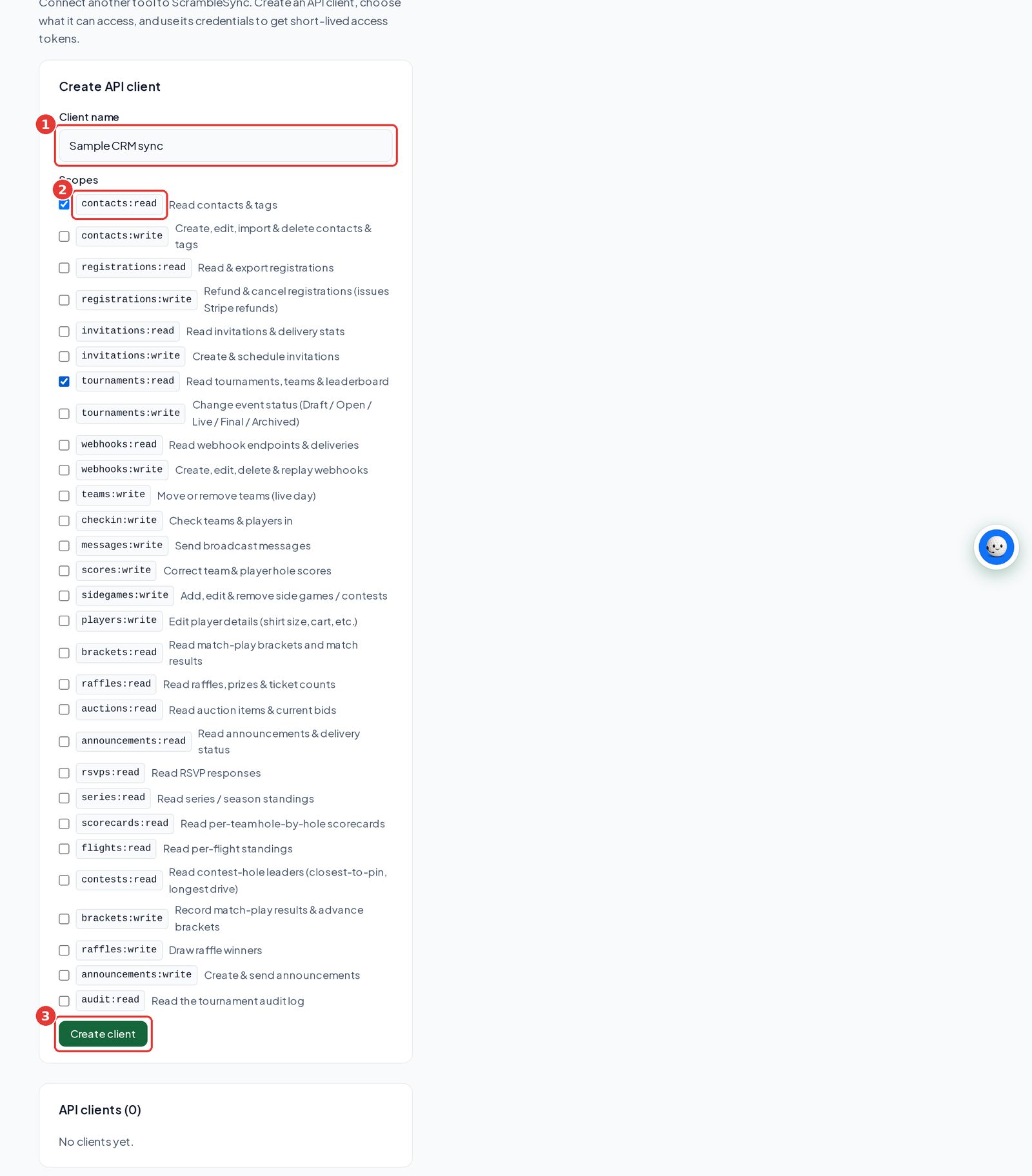
Under Create API client, name it, tick its scopes and click Create client. Copy the secret right away. It's shown once.
Get a token
POST to https://scramblesync.com/api/v1/oauth/token with grant_type=client_credentials and your client ID and secret (HTTP Basic or JSON body). The access_token lasts 1 hour.
Call the API
Send Authorization: Bearer <access_token> on every request. When it expires, ask for a new one.
Scopes
A token only carries the scopes its client was granted. Request a subset at token time with a space-delimited scope parameter; omit it to receive all of the client's scopes. A call that lacks a required scope returns 403 insufficient_scope.
| Scope | What it grants |
|---|---|
| contacts:read | Read contacts & tags |
| contacts:write | Create, edit, import & delete contacts & tags |
| registrations:read | Read & export registrations |
| registrations:write | Refund & cancel registrations (issues Stripe refunds) |
| invitations:read | Read invitations & delivery stats |
| invitations:write | Create & schedule invitations |
| tournaments:read | Read tournaments, teams & leaderboard |
| tournaments:write | Edit event details, scoring & holes, and change event status (Setup / Open / Live / Final / Archived) |
| webhooks:read | Read webhook endpoints & deliveries |
| webhooks:write | Create, edit, delete & replay webhooks |
| teams:write | Move or remove teams (live day) |
| checkin:write | Check teams & players in |
| messages:write | Send broadcast messages |
| scores:write | Correct team & player hole scores |
| sidegames:write | Add, edit & remove side games / contests |
| players:write | Edit player details (shirt size, cart, etc.) |
| brackets:read | Read match-play brackets and match results |
| brackets:write | Record match-play results & advance brackets |
| raffles:read | Read raffles, prizes & ticket counts |
| raffles:write | Draw raffle winners |
| auctions:read | Read auction items & current bids |
| announcements:read | Read announcements & delivery status |
| announcements:write | Create & send announcements |
| contests:read | Read contest-hole leaders (closest-to-pin, longest drive) |
| flights:read | Read per-flight standings |
| scorecards:read | Read per-team hole-by-hole scorecards |
| rsvps:read | Read RSVP responses |
| series:read | Read series / season standings |
| audit:read | Read the tournament audit log |
Pagination
List endpoints are cursor-paginated. Each response has the shape { "data": [...], "page": { "next_cursor": "..."|null, "has_more": true|false } }. Pass ?cursor=<next_cursor>&limit=<1 to 200> to fetch the next page. The default limit is 50; the maximum is 200.
Error format
All non-2xx responses share one shape: { "error": "human message", "code": "snake_case_code", "request_id": "uuid" }. Every response also carries an X-Request-Id header, include it when contacting support. Common codes: invalid_token (401), insufficient_scope (403), not_found (404), validation_error (400), conflict (409), rate_limited (429).
Rate limiting
Approximately 600 requests per minute per API client. Exceeding the limit returns 429 with a Retry-After header in seconds. The limit is per client, not per IP.
Idempotency
POST requests accept an Idempotency-Key header (up to 128 characters). Replaying the same key returns the original response; reusing a key with a different body returns 409 conflict.
Full reference
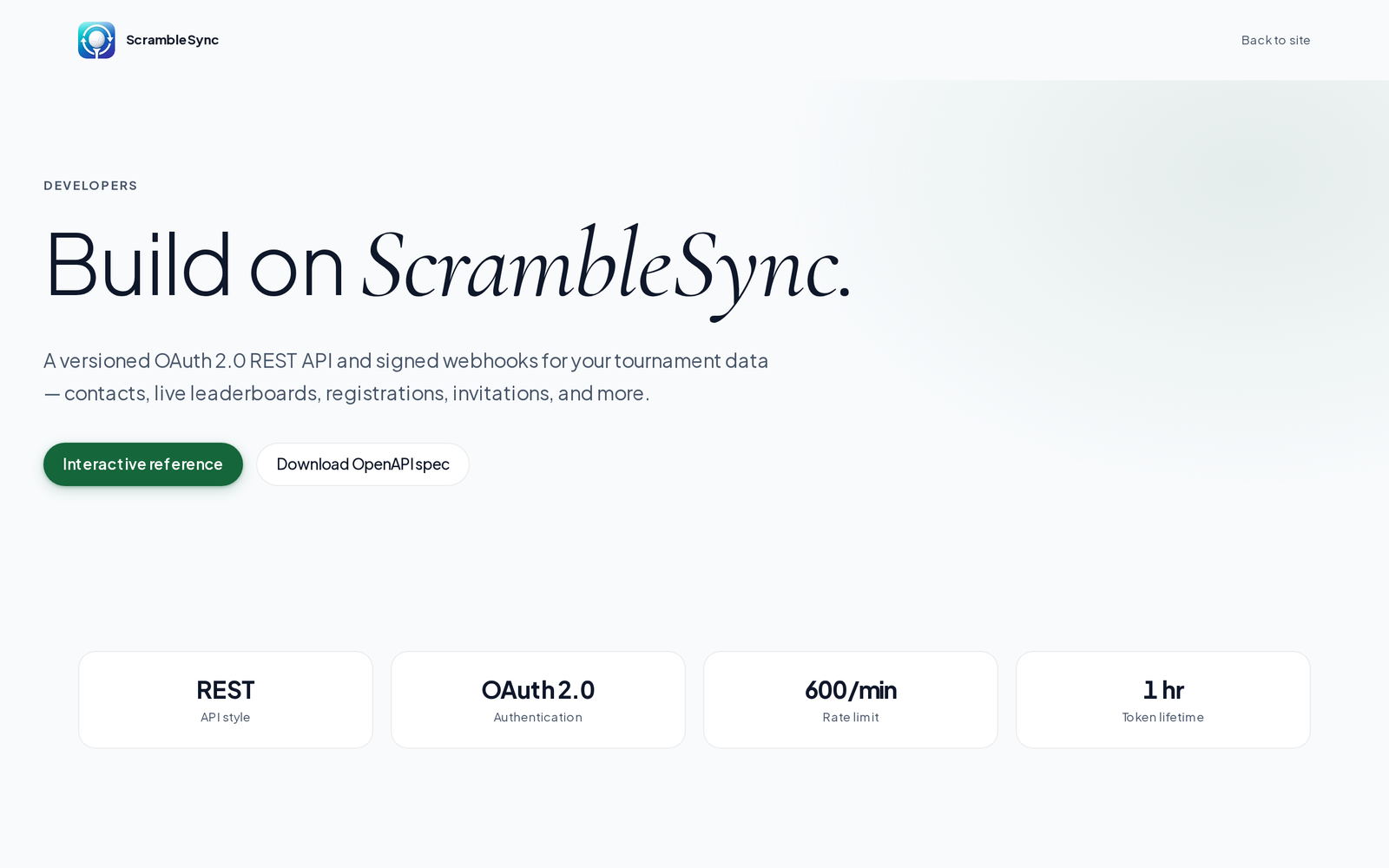
The interactive OpenAPI reference, with live try-it-out for every endpoint, is at scramblesync.com/developers/reference. The raw spec is at scramblesync.com/openapi.yaml.
Tips
- Start with read-only scopes while you build, then add write scopes when you need them.
- Log the X-Request-Id header. It's the fastest way for us to find a request when you email [email protected].
Troubleshooting
| If you see this | Try this |
|---|---|
| 401 invalid_token | The token expired after an hour or the client was disabled. Request a new token. |
| 403 insufficient_scope | The client doesn't have the scope that endpoint needs. Create a new client with the scope you need, then switch your integration over. |
| 429 rate_limited | Wait the number of seconds in Retry-After, then try again. |
Frequently asked questions
Do tokens expire?
Yes. Access tokens are valid for 1 hour (3600 seconds). Request a new token using your client credentials when the current one expires. Tokens can also be revoked by deleting the API client.
Can I use the API without creating a client?
No. Every API call requires a Bearer token obtained from an API client. Create one in Settings → API access.
Is the API tenant-isolated?
Yes. Every client belongs to one organization and tokens only ever see that organization's data, there is no way for a token to access another org's tournaments or contacts.
Where is the interactive docs?
At scramblesync.com/developers/reference, powered by Scalar, with live try-it-out for every endpoint. (scramblesync.com/developers is the developer landing page.)
Where do I create a client?
Click API access in the top bar of your dashboard. Only admins see it.