Closest to the pin: golfer claims and the official winner
Quick answer
Set the hole's Contest to Closest to pin on the Holes tab and click Save contests. On that hole, golfers see a Closest to Pin badge and are asked if anyone on their team beat it. The latest claim shows as the leader until you set the official winner and distance on the Scoreboard tab.
On this page
Overview
Golfers claim closest to the pin from their phones, and you set the official winner and distance on the Scoreboard.
Who this is for
Organizers running a closest to the pin contest, and the volunteers measuring it.
Mark the closest to the pin hole
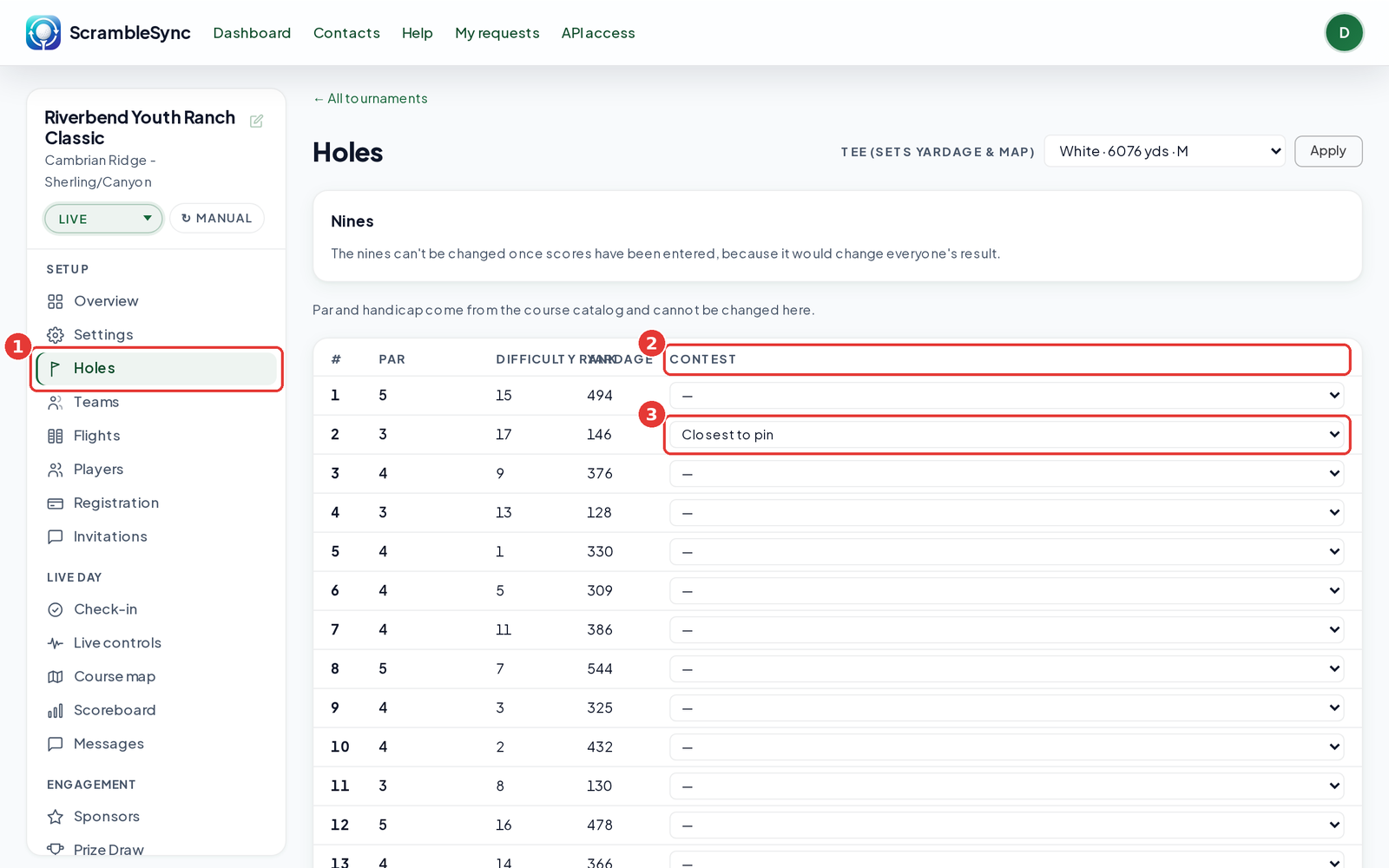
Open the Holes tab
In your tournament sidebar, click Holes.
Find the Contest column
Each hole has a Contest list. The choices are Longest drive, Closest to pin, Straightest drive, and Custom...
Pick Closest to pin for your hole
Usually a par 3. You can mark more than one hole.
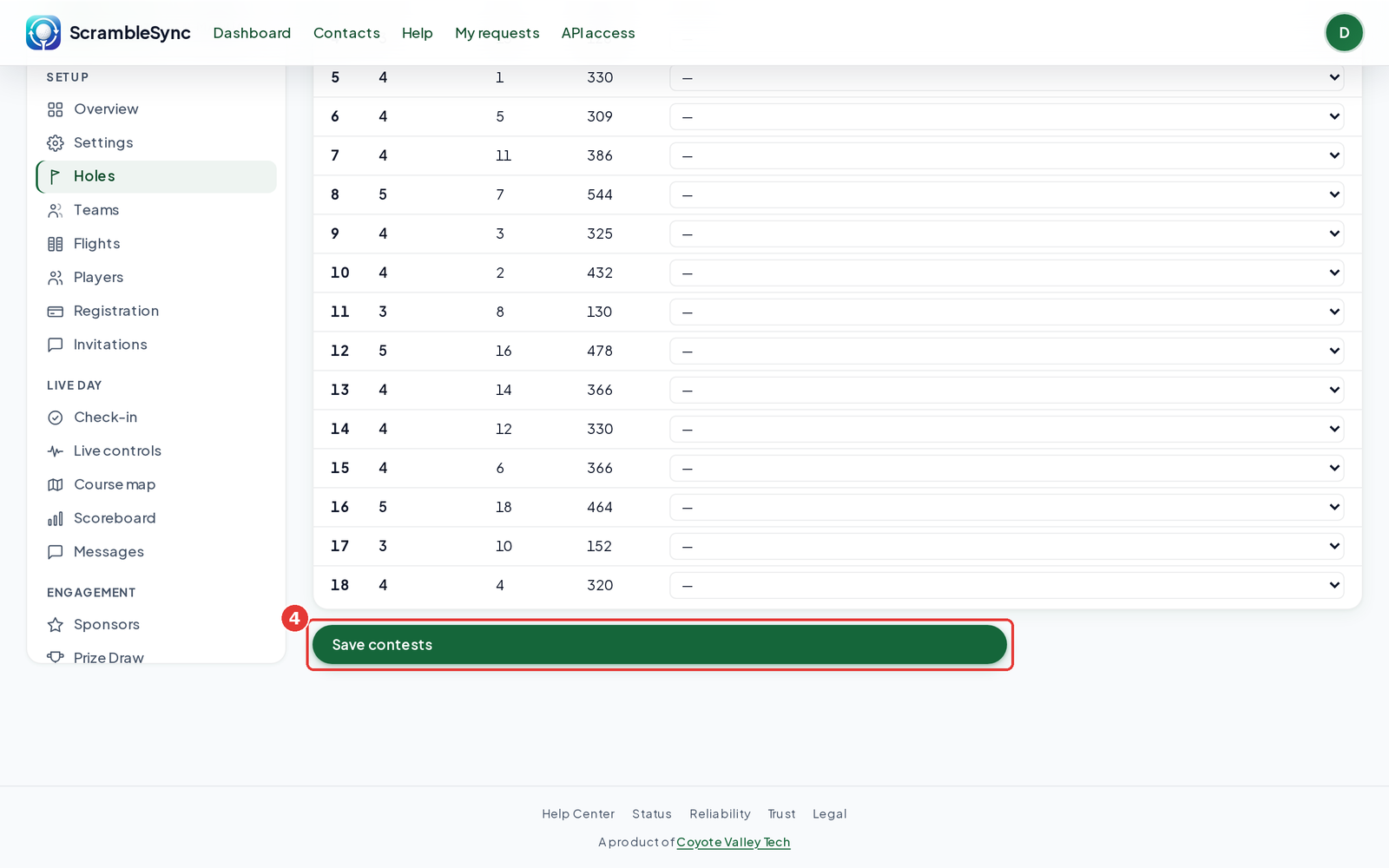
Click Save contests
The hole is now a closest to the pin hole for golfers and on the Scoreboard.
What golfers see on the hole
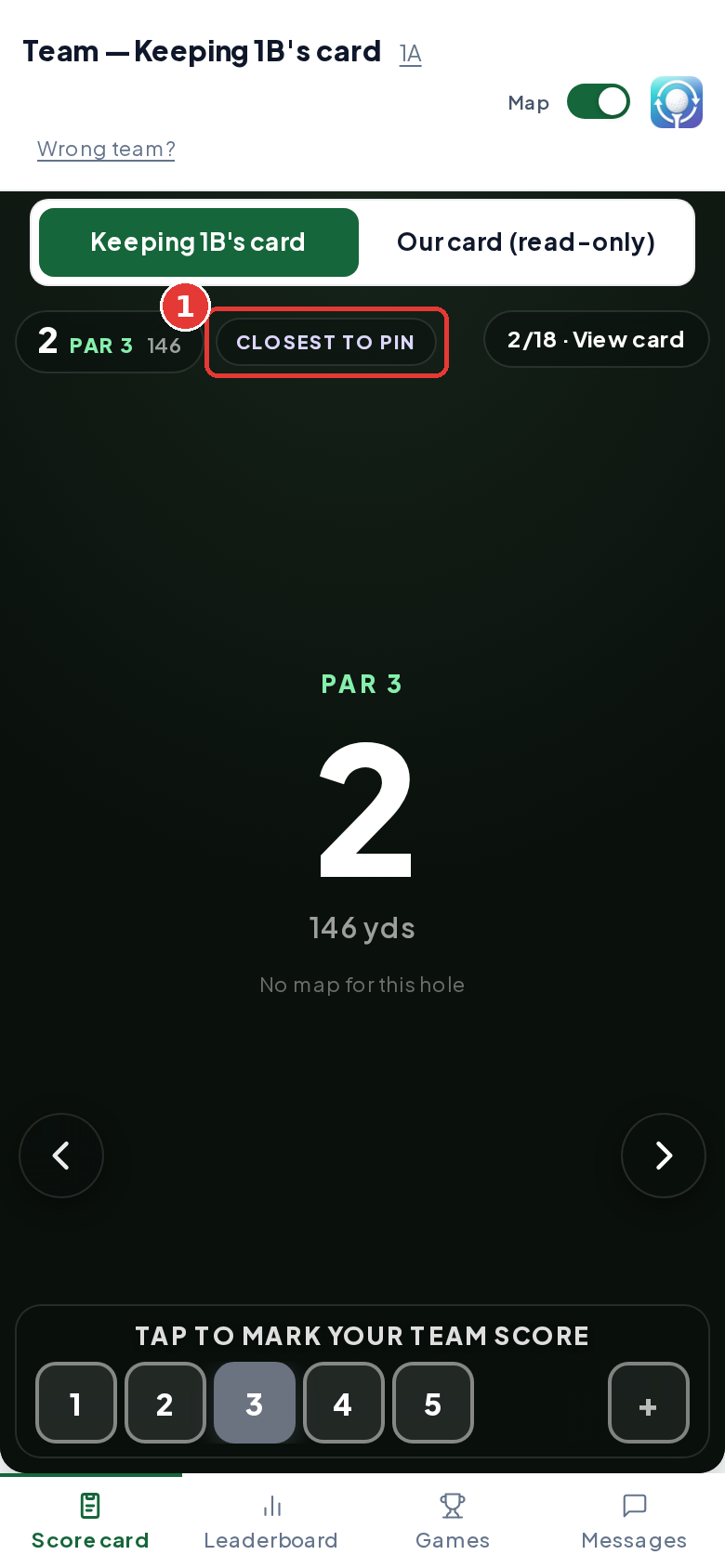
- A Closest to Pin badge shows on the hole while they score. They can tap it at any time on that hole to claim it for their team.
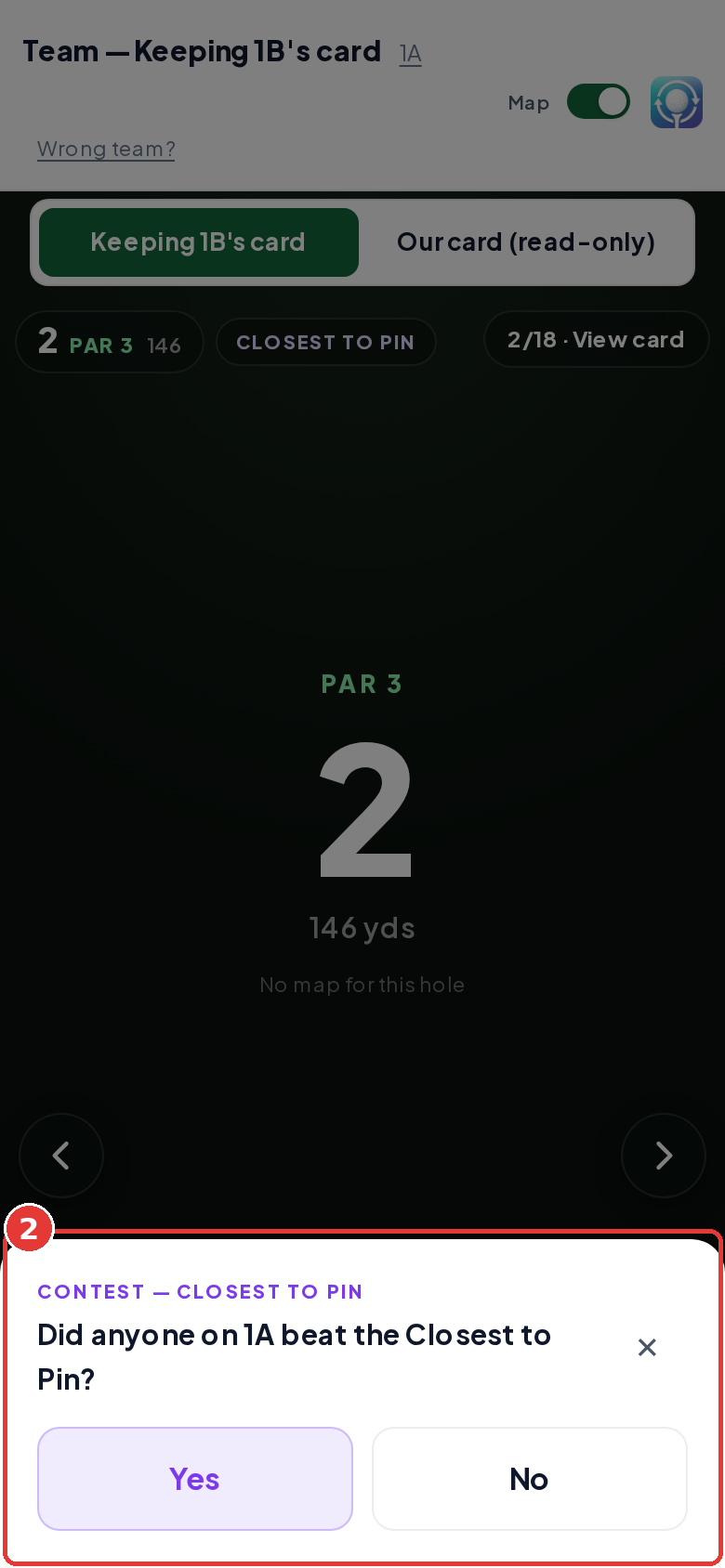
- After they enter the team score, a prompt asks 'Did anyone on 1A beat the Closest to Pin?' with Yes and No.
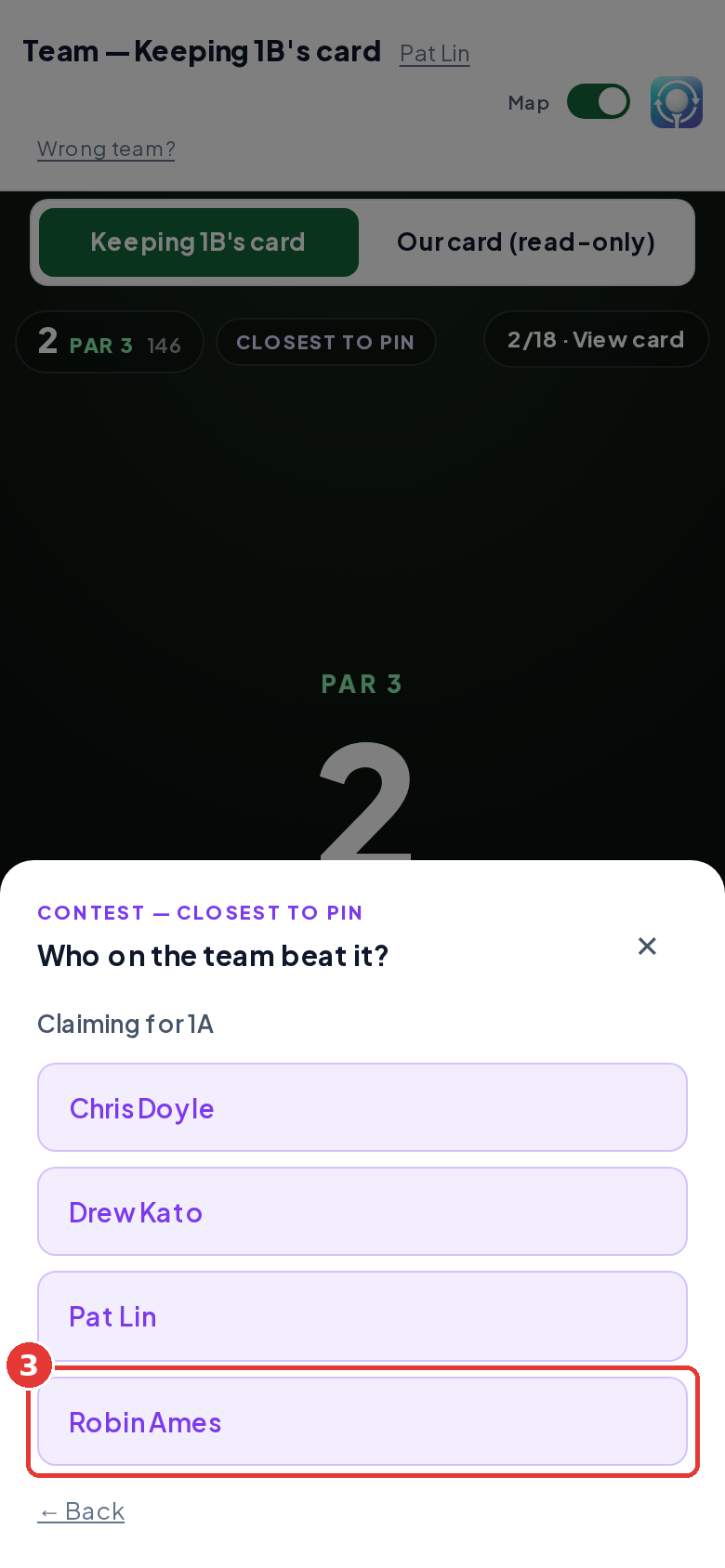
- If they tap Yes, they pick the player from their team. That claim becomes the leader until someone else claims it or you set the winner.
- Golfers don't enter a distance on their phones. You add the official distance in feet and inches when you set the winner on the Scoreboard.
Set the official winner and distance
Open the Scoreboard
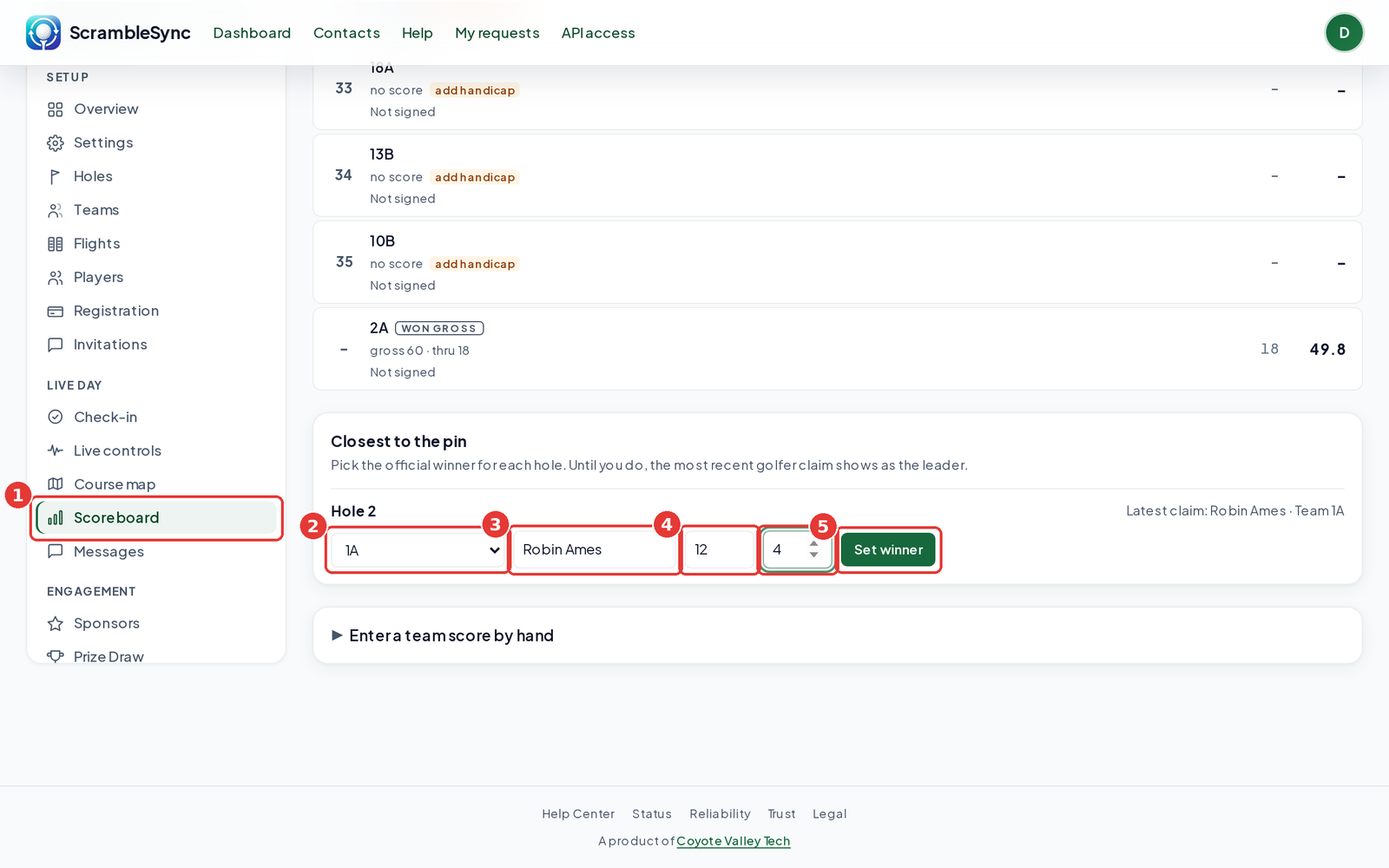
In your tournament sidebar, click Scoreboard and scroll to Closest to the pin. Until you pick a winner, the most recent golfer claim shows as the leader.
Choose the team
Use Choose team… for the hole. The latest claim is shown above it to help.
Add the player (optional)
Type the player's name in Player (optional).
Enter the distance
Type feet and inches. Inches go from 0 to 11.
Click Set winner
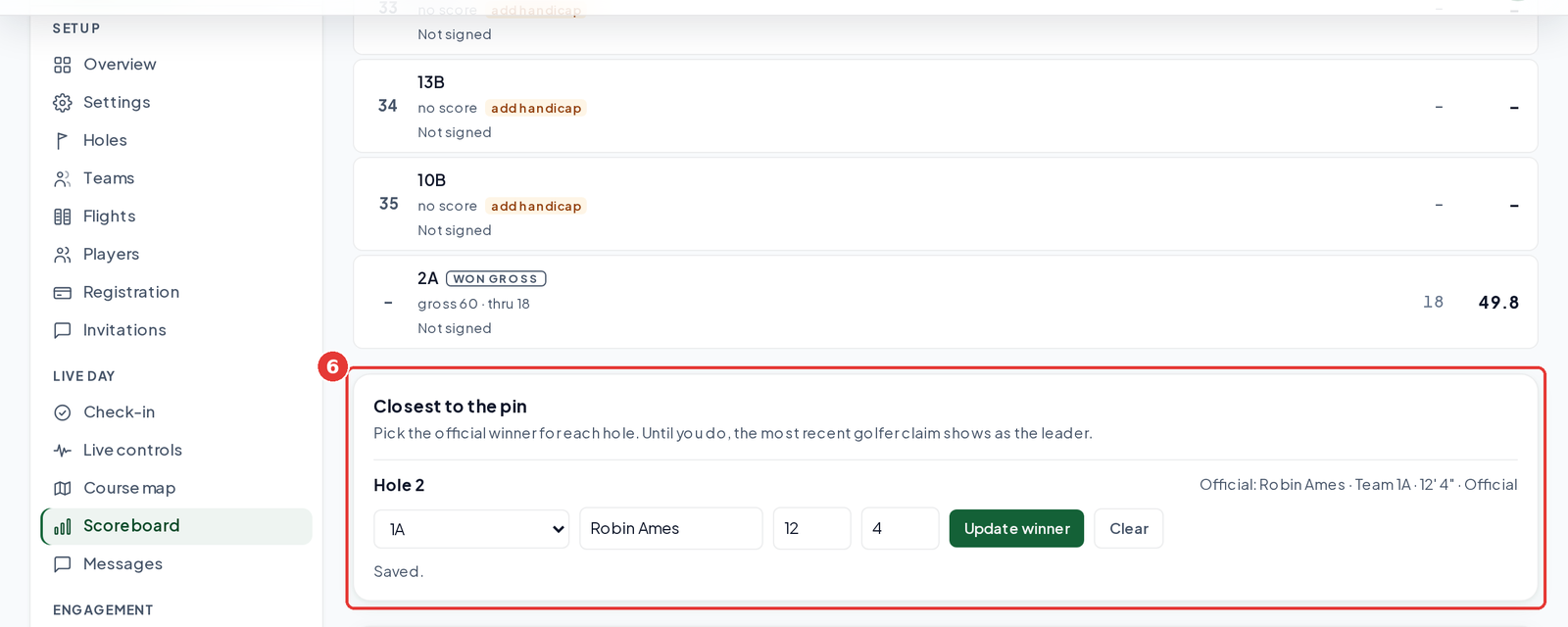
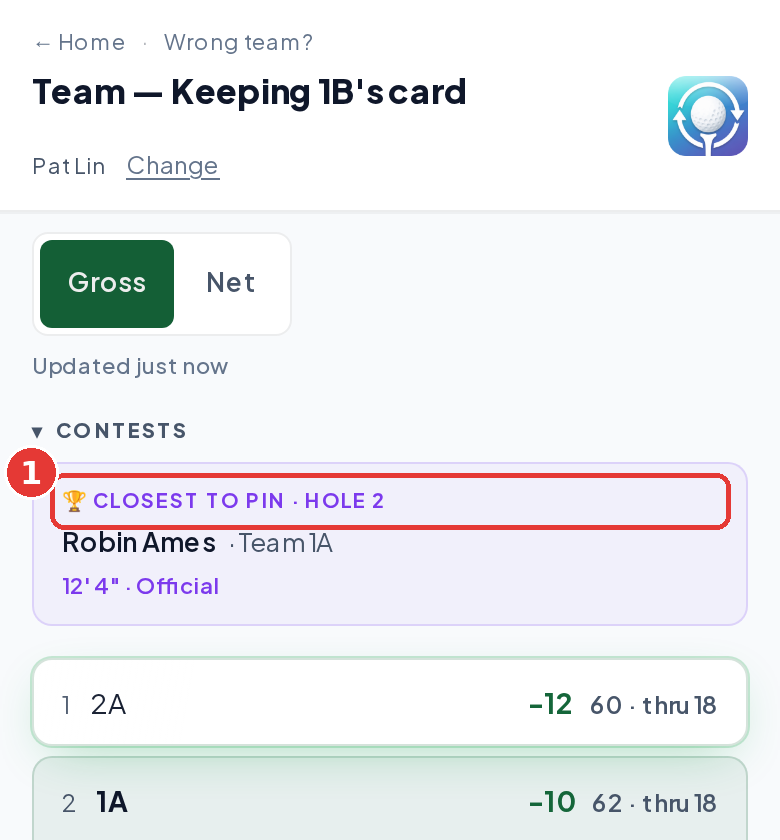
You'll see Saved. The result is marked Official, for example 'Robin Ames · Team 1A · 12' 4" · Official'.
Change it if you need to
Click Update winner to change it, or Clear to go back to showing the latest golfer claim.
Where golfers see the result
On the golfer Leaderboard tab, the Contests section shows the hole, the winner, the team and the distance, marked Official. Golfer claims still come in after that but never replace an Official winner.
Tips
- Set the official winner before awards so the board shows the distance and the Official tag.
- Closest to the pin on Side Games has no golfer claims and no winner picker. Use the Holes tab Contest column.
Troubleshooting
| If you see this | Try this |
|---|---|
| Golfers aren't being asked | On the Holes tab, set the hole's Contest to Closest to pin and click Save contests. |
| The leader keeps changing | Until you set the official winner, the latest claim shows as the leader. Set the winner on the Scoreboard. |
| I can't set the distance on my iPhone | The iPhone organizer screen shows the winner but not the distance. Use the website. |
Frequently asked questions
Golfers aren't being asked about closest to the pin.
Check the Holes tab. The hole's Contest must be set to Closest to pin and saved with Save contests.
Do I have to set the official winner?
No, but we recommend it. Until you do, the most recent golfer claim shows as the leader, with no distance.
Can golfers enter the closest to the pin distance on their phones?
No. There's no distance box on the golfer scorecard. You type the distance in feet and inches when you click Set winner on the Scoreboard tab, and the boards show it from then on. Golfers can still use the map's Drag the target to measure your carry to see yardage for themselves, but that isn't saved to the contest.
With card swap on, who gets asked?
Each team is asked about its own players, even while it keeps another team's card.