
Live scoring and the Scoreboard
Quick answer
Golfers open scramblesync.com/play (or scan the QR code on their cart sign), enter their team code, and score each hole. Your Scoreboard tab shows Current standings live. Share the Player leaderboard link with golfers and spectators, and open the TV scoreboard on a big screen.
On this page
Overview
During the round, scores flow from golfers' phones to your Scoreboard and to the public boards. You don't have to do anything for it to work. The Scoreboard is also where you fix scores, set contest winners, and check which cards aren't signed yet.
When you set the event to Final, the public leaderboard and TV scoreboard header changes from Live leaderboard to Final results.
Who this is for
Organizers and managers watching the round.
How golfers send scores
Golfers scan the QR code or open scramblesync.com/play
No account needed. Card swap teams must use a phone browser, not the App Store app.
They enter their team code
It's on the cart sign and the tee sheet.
They score each hole
Scores save on the phone first and send when there's signal. They see 'All scores saved' when everything is in.
They review and sign the card
Signing locks the card. See Signing your scorecard.
Watch the Scoreboard
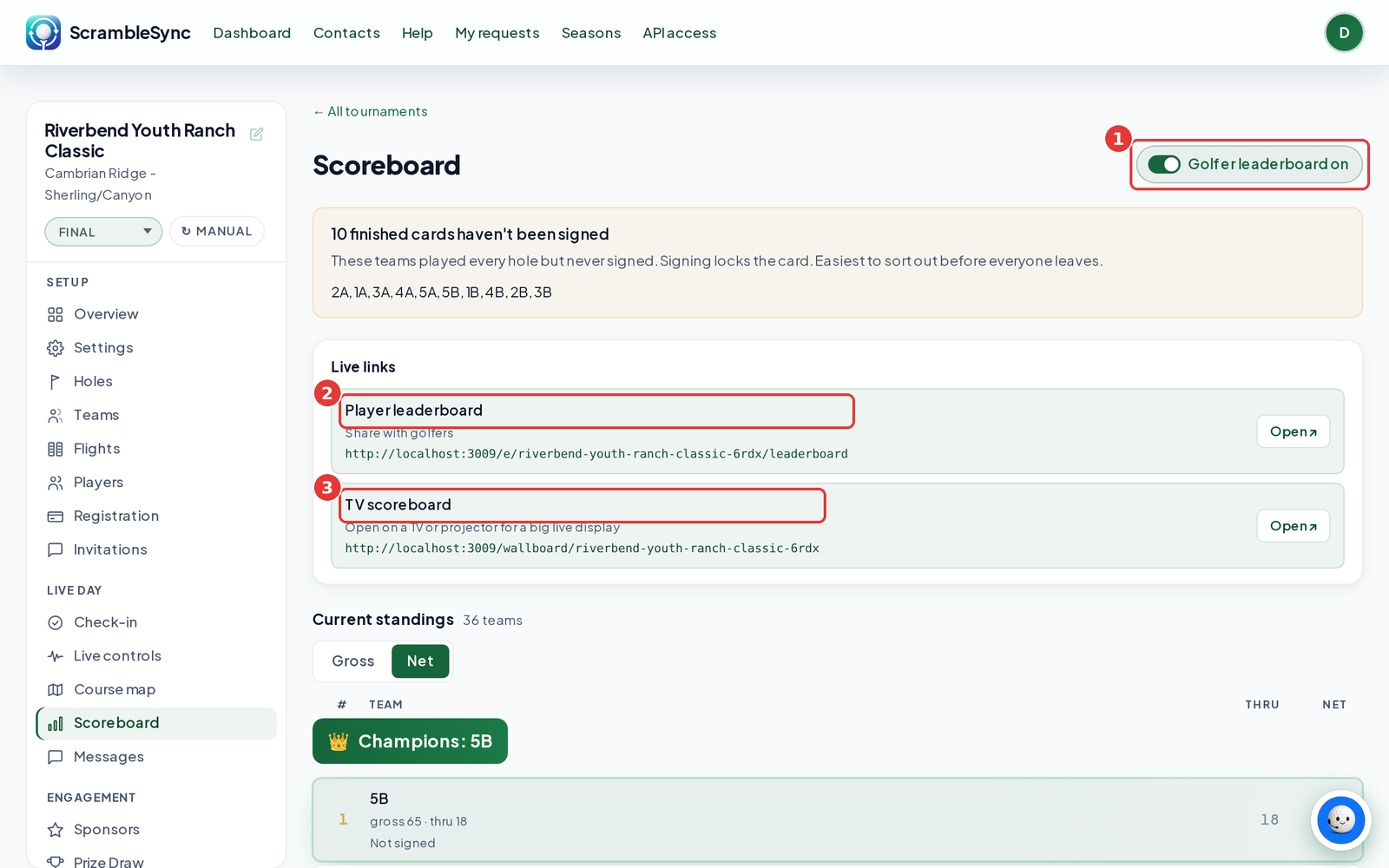
Open Scoreboard
Click Scoreboard in the Live Day group.
Check the Golfer leaderboard switch
When it's on, the boards update in real time. When it's off, they refresh every 30 seconds.
Use the Live links
Player leaderboard is the link for golfers and spectators. TV scoreboard is for a TV or projector. Click Open ↗ to view either.
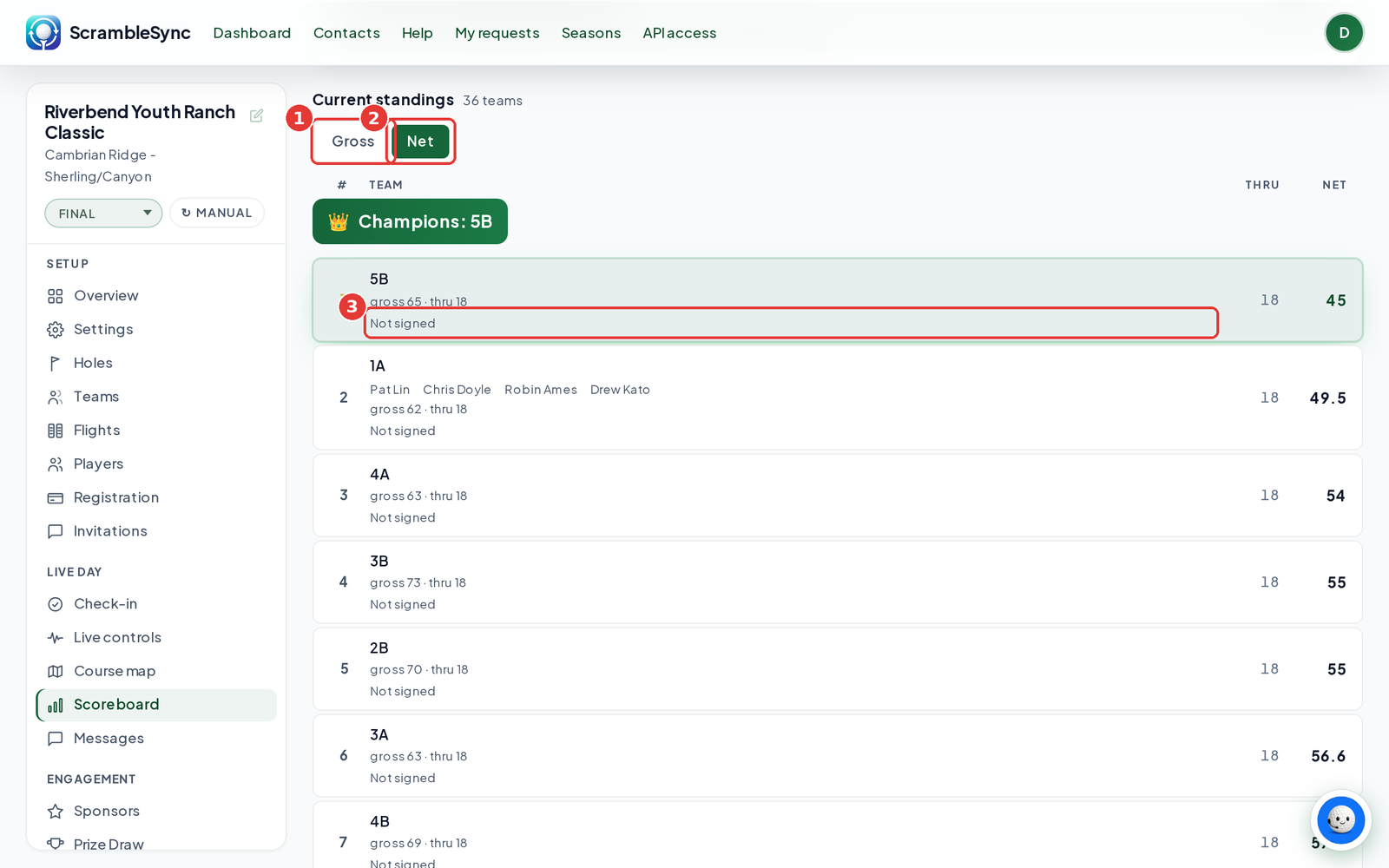
Read Current standings
Switch between Gross and Net. On the Gross board, the To par column shows each team's score to par (E means even), with its gross strokes and holes played underneath, for example gross 63 · thru 18. That's the same way the Player leaderboard and TV scoreboard show it. Cards that aren't signed show Not signed, and cards still in play show Not finished.
Fix or add scores
- Enter a team score by hand, at the bottom of the Scoreboard, lets you enter a final total or individual holes. See Enter a team score by hand.
- Scan a paper scorecard reads a photo of a paper card, if Scramble AI is on. On the Scoreboard, click Scan scorecard.
- Closest to the pin lets you set the official winner and distance.
Tips
- Put a TV scoreboard in the clubhouse. It keeps people around after the round.
- Watch for the unsigned card warning before you hand out prizes.
- The public board's web address is made for you automatically, so the links are ready as soon as the event is.
Troubleshooting
| If you see this | Try this |
|---|---|
| 'Leaderboard not yet enabled' | Your event's web address is still being created. Refresh in a minute. |
| A team's scores aren't showing | Their phone may be offline. Scores send when signal returns. See Scores not on the leaderboard. |
| A score is wrong | Ask the team to fix it before signing, or enter it by hand from the Scoreboard. |
Frequently asked questions
Can more than one person on a team enter scores?
Yes. Anyone with the code can. The latest score for a hole wins, so we suggest one scorekeeper per team.
What if golfers lose signal?
Scores are saved on the phone and send when signal returns.
Do I need to refresh the Scoreboard?
No. It updates on its own.