
GPS yardage and course map
Quick answer
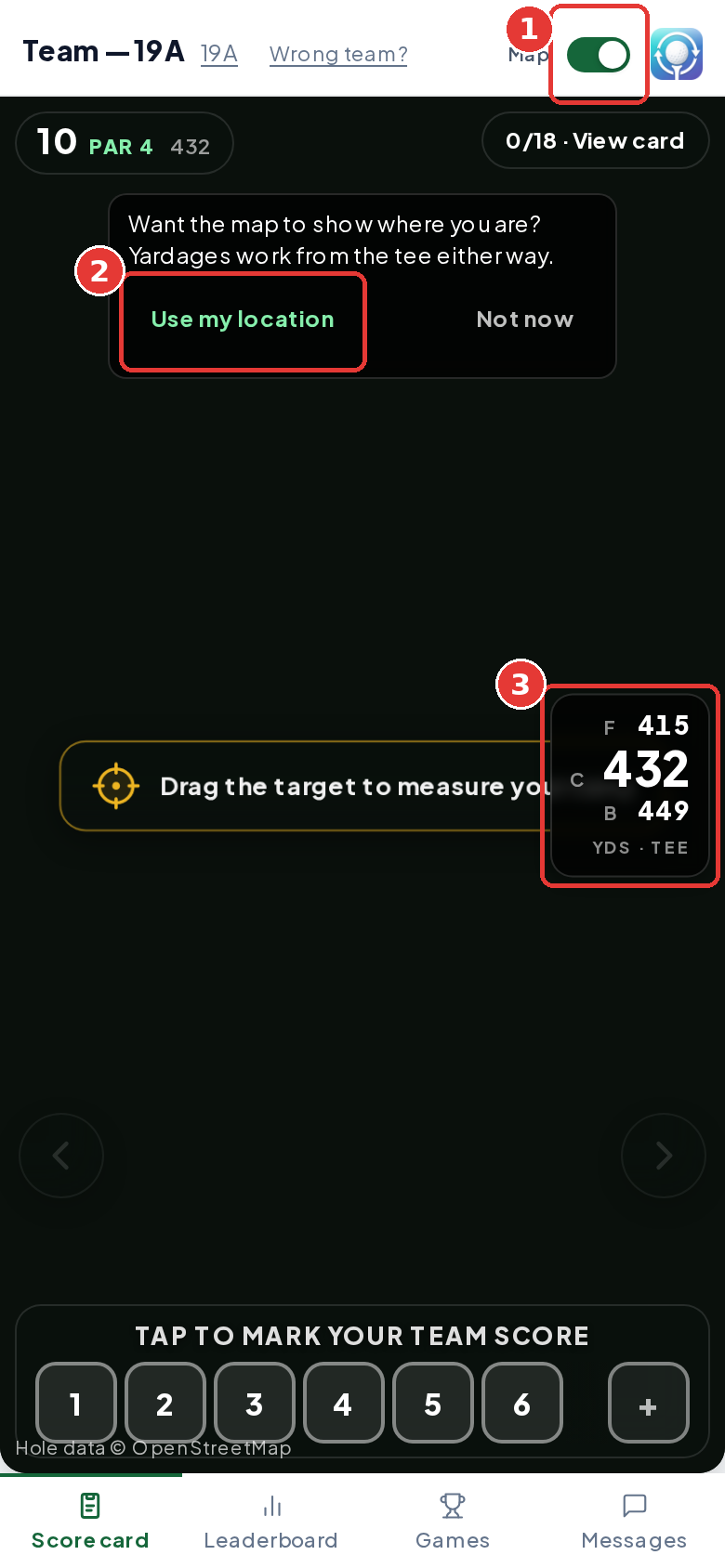
Your scorecard shows yardage to the front, center and back of the green. Turn the Map switch on at the top right, then tap Use my location and allow location when your phone asks. Until then, yardages are measured from the tee (you'll see YDS · TEE). Once we find you, the numbers update as you move.
On this page
Overview
The scorecard can show yardage to the green using your phone's GPS.
Who this is for
Golfers, usually the team's scorekeeper.
Turn on the map and your location
Turn on Map
Tap the Map switch at the top right of the scorecard.
Tap Use my location
We ask: Want the map to show where you are? Yardages work from the tee either way. Tap Use my location, or Not now.
Allow location
When your phone asks, tap Allow.
Read your yardages
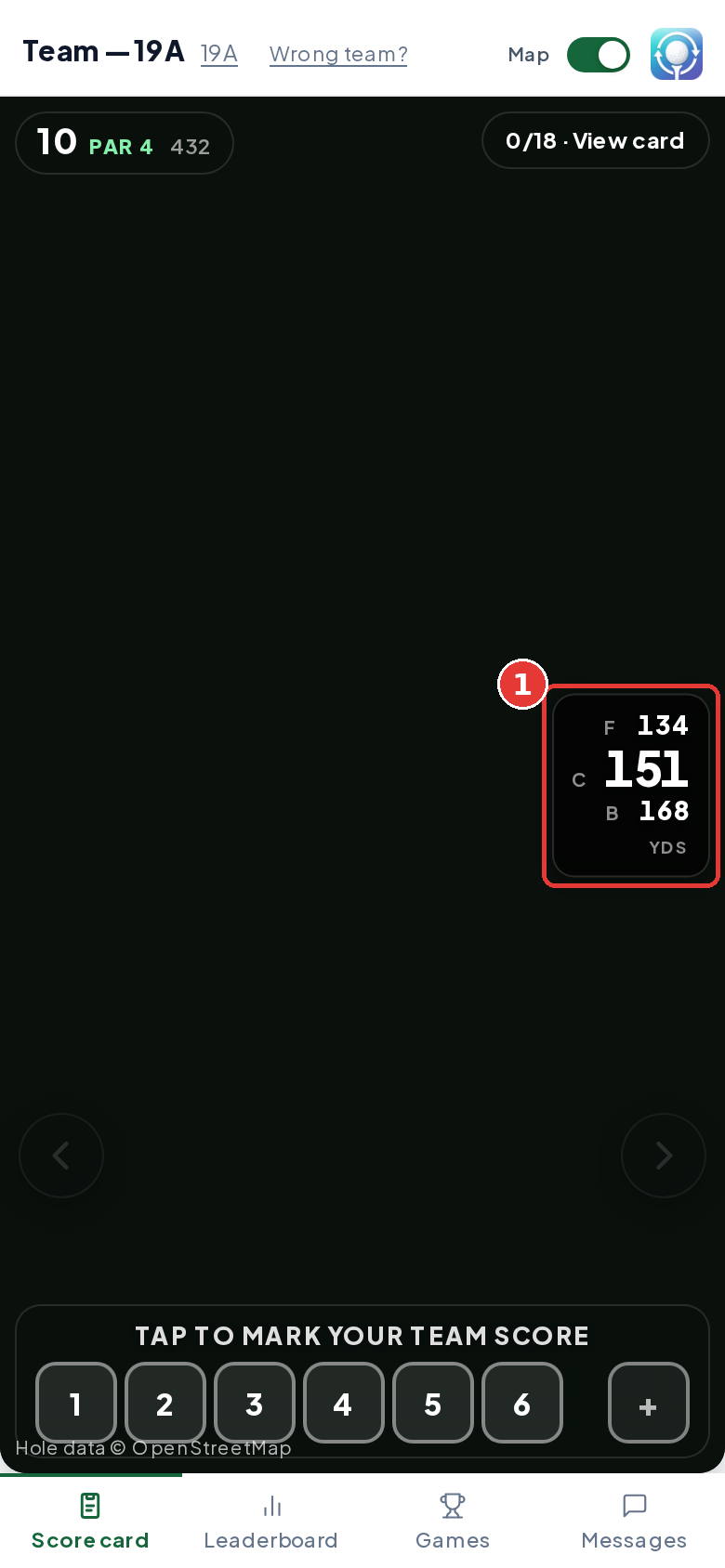
F, C and B show yards to the front, center and back of the green from where you are.
Reading the yardages
| You see | It means |
|---|---|
| YDS · TEE | Measured from the tee. We don't have your location yet. |
| YDS | Measured from where you're standing. |
| No map for this hole | We don't have map data for this hole. The hole's yardage from the scorecard still shows. |
Drag the target to measure your carry
The map has a yellow target you can move to see how far it is to any spot on the hole, like the end of the fairway or the front of a bunker. The first time the map shows on your phone, you'll see Drag the target to measure your carry. It goes away after a few seconds or when you tap the map.
Find the target
It's the yellow ring with a crosshair. On each hole it starts on the green.
Drag it
Press and drag the target to the spot you want. You can also tap the map and the target jumps there.
Read the yards
A dashed white line runs to the target. The number on the line is the distance in yards. It changes as you drag.
| Your location | Where the line starts |
|---|---|
| On, and we've found you | At the blue dot, where you're standing. The yards update as you walk. |
| Off, or not found yet | At the tee. When we have the hole's scorecard yardage, the yards are adjusted to fit it. |
If we don't have your location and there's no tee marked on the map for that hole, you can still move the target, but there's no line or number. If the satellite map doesn't load, there's no target, but your yardages to the green still show.
Map buttons
Two small buttons sit at the top left of the map. On a screen reader they're called Center map on my location and Focus on hole.
| Button | What it does |
|---|---|
| Center map on my location (blue crosshair) | Moves the map so it shows you and the hole together. It only shows once we've found your location. |
| Focus on hole (green corners) | Puts the map back on the whole hole, with the tee at the bottom. Handy after you've zoomed or moved around. |
If location is turned off
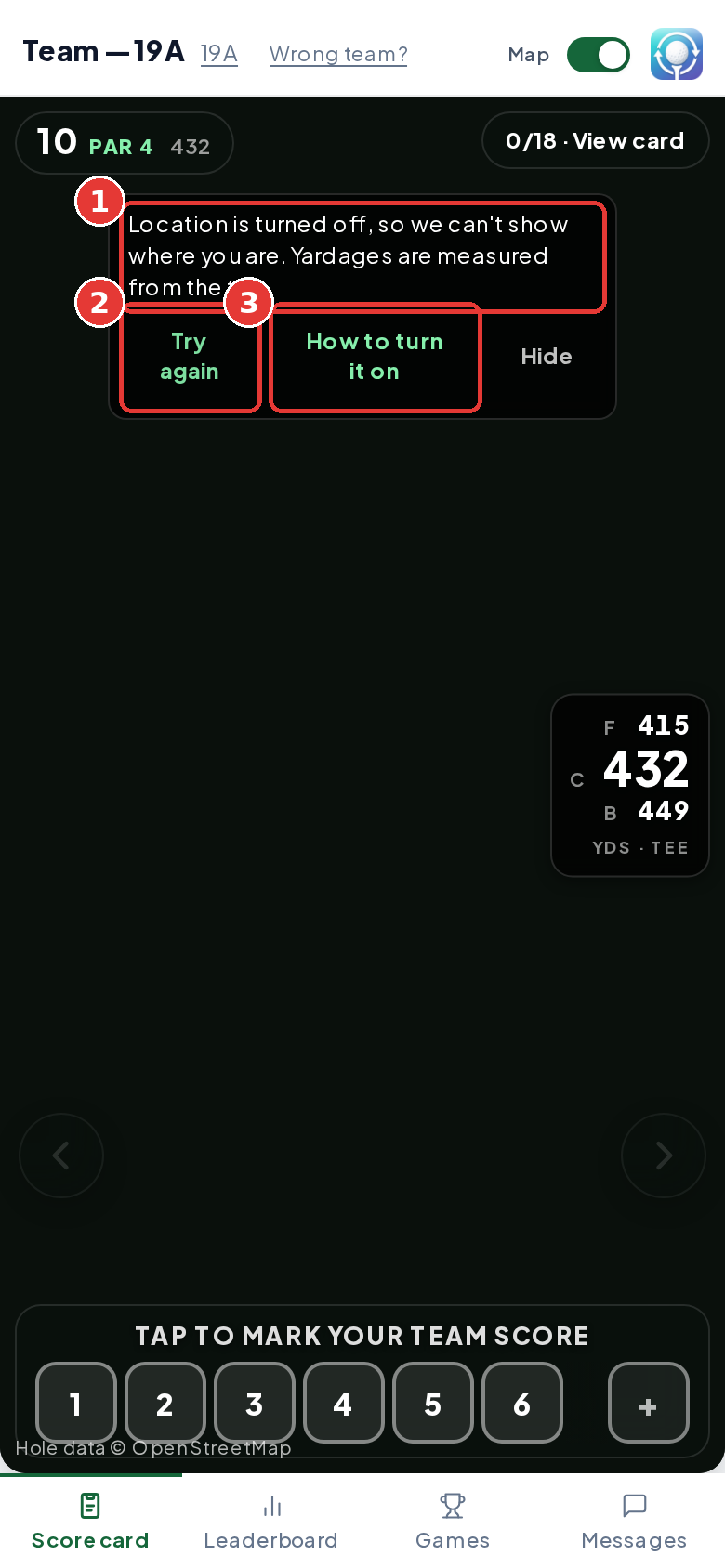
You'll see Location is turned off, so we can't show where you are. Yardages are measured from the tee. Tap How to turn it on for steps, then Try again. See GPS map not loading for each phone.
Tips
- Keep the phone out of a closed bag for a better GPS fix.
- Only the scorekeeper needs location on.
Troubleshooting
| If you see this | Try this |
|---|---|
| Yardages say YDS · TEE | Location is off or not found yet. Tap Use my location or Try again. |
| No map for this hole | There's no map data for that hole. Scoring still works. |
Frequently asked questions
Do I need GPS to score?
No. Scoring works without it.
How do I measure the distance to a bunker or the layup spot?
Drag the yellow target on the map to that spot, or tap the spot. The number on the dashed line is the distance in yards, from where you are or from the tee if your location is off.
Does the organizer see where we are?
Yes. The organizer's Course map shows each team's position from the scorekeeper's phone while you play.
Is the map satellite imagery?
Hole shapes come from OpenStreetMap. The background imagery depends on your event's map setup.