
What is ScrambleSync?
Quick answer
ScrambleSync is golf tournament software for organizers, golfers and sponsors. We handle registration, teams, live scoring on golfers' phones, leaderboards, GPS yardage, sponsors and fundraising. Golfers score in their phone's browser with a team code, with no account or download. Organizers run everything from the website or our free iPhone app.
On this page
Overview
ScrambleSync runs your golf scramble from sign-up to awards, all in one place.
Who this is for
Anyone new to ScrambleSync: organizers, golfers, sponsors and volunteers.
Who it's for
| Role | What they use ScrambleSync for |
|---|---|
| Organizer | Create & manage the event, build the field, run scoring, print cart signs, share the leaderboard |
| Golfer | Enter scores hole by hole, see GPS yardage, view the live leaderboard, no account needed |
| Sponsor | Upload a logo and ad shown on player scorecards, see where their logo and ad appear |
How it works
Organizer creates the event
Log in, click 'Create new tournament', fill in the name, date, and course. The setup wizard walks through holes, teams, roster, and sponsors.
Players receive a join code
Each team gets a short code printed on their cart sign. Golfers go to scramblesync.com/j/<code>, no account, no download needed.
Scores sync live
As teams enter scores hole by hole, the leaderboard updates in real time for organizers, spectators, and a wallboard TV at the clubhouse.
Results are ready at the end
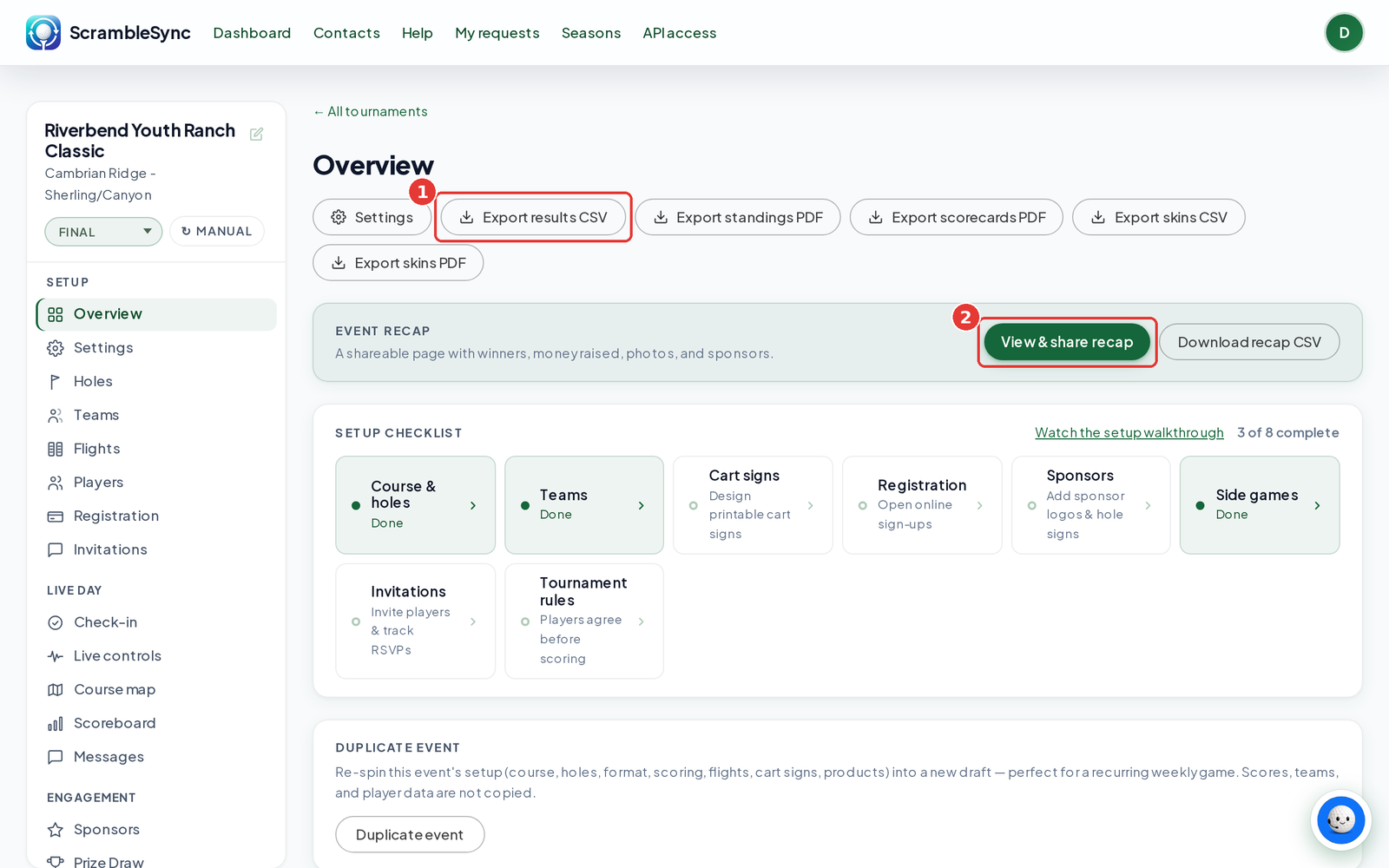
From the event Overview, export results as a CSV or PDF, plus scorecards and skins. Teams sign their card on the phone when they finish.
Formats we support
| Format | How it works |
|---|---|
| Scramble | One team score per hole. Everyone hits, the team plays the best shot. |
| Best-ball | Each golfer plays their own ball. The best score (or best 2, 3 or 4) counts for the team. |
| Shamble | The team picks the best drive, then each golfer plays their own ball in. The best score(s) count. |
| Individual stroke | Each golfer plays and is ranked on their own ball. |
| Chapman / Pinehurst | Two-player alternate shot: both drive, swap for the second shot, then alternate. One team score per hole. |
| Alternate Shot | Team members take turns hitting the same ball. One team score per hole. |
| Greensomes | Both players drive, pick the best, then alternate shots to the hole. One team score per hole. |
Rank any format by total strokes (Gross), handicap-adjusted score (Net), Stableford points or Quota, and show several boards side by side. See Scoring formats for the details.
Tips
- New here? Start with Create your first tournament, then follow the setup checklist on the Overview page.
- Golfers don't need anything installed. A team code or the QR code on the cart sign is enough.
Troubleshooting
| If you see this | Try this |
|---|---|
| I can't sign in | Every organizer login needs a passkey, an authenticator app or sign-in codes by email. See Two-factor authentication. |
| A golfer can't join | See Golfer can't join for the usual fixes. |
Frequently asked questions
Do golfers need to create an account?
No. Golfers join their team with a short code (or by scanning the QR on their cart sign) and score directly, no account, no download.
Do I need the iPhone app?
Golfers do not. A team code in the browser is enough to score. Organizers can use the website or the free ScrambleSync iPhone app.
Does ScrambleSync work without cell signal on the course?
Yes. Scores save offline and sync automatically when the device reconnects. The app is designed to keep working through poor or spotty coverage.
What formats does ScrambleSync support?
Scramble, Best-ball, Shamble, Individual stroke, Chapman / Pinehurst, Alternate Shot and Greensomes. Each can be ranked Gross, Net, Stableford or Quota, and you can show several boards at once.