
Contacts: import, tag, and reuse your golfer list
Quick answer
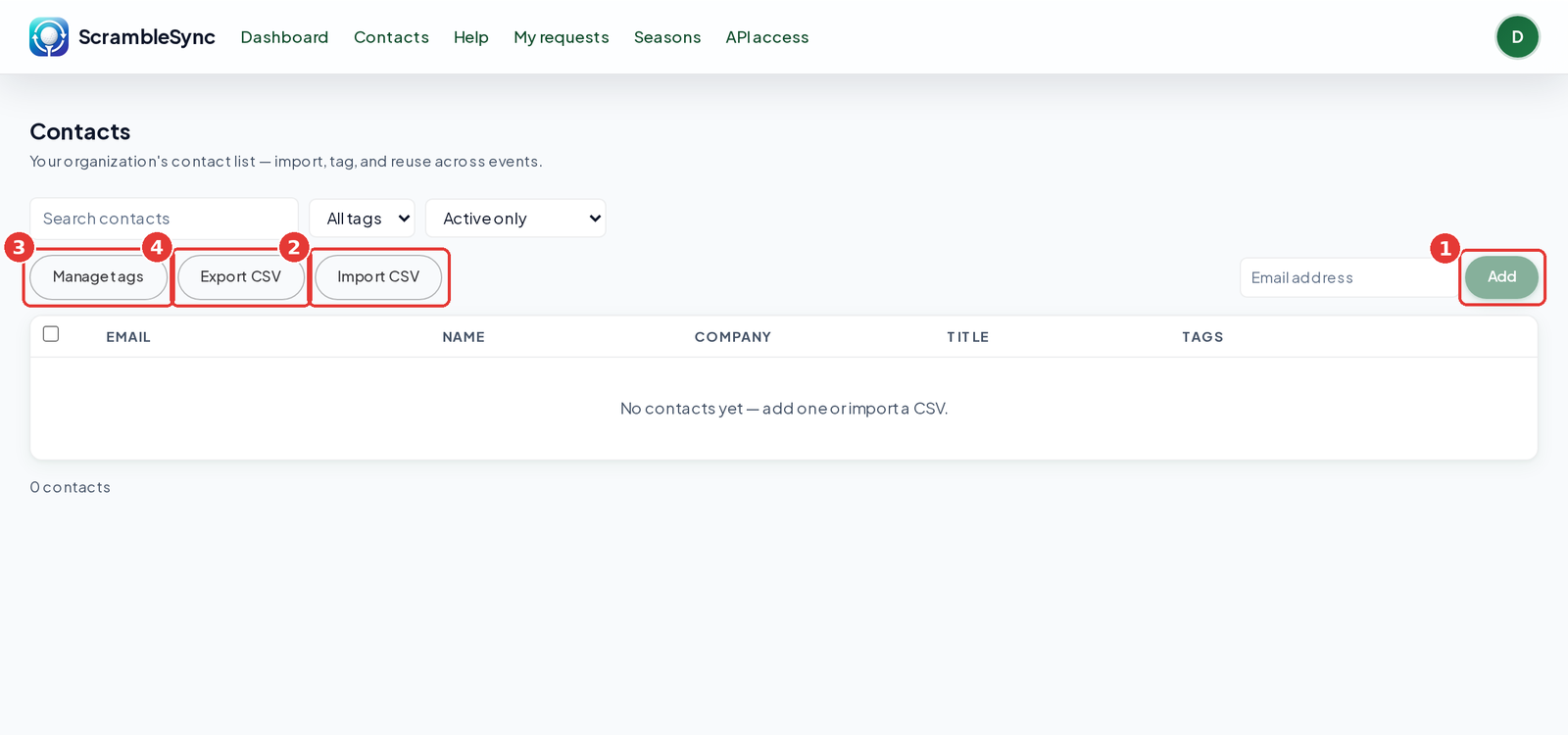
Click Contacts in the top bar. Click Add to add one person, or Import CSV to bring in a list (it needs an email column). Use Manage tags to create tags, then select contacts and add a tag. Filter by tag or status, and click Export CSV to download.
On this page
Overview
Contacts is your organization's address book. It lives outside any single event, so you can reuse it every year: invite past golfers, sponsors, and volunteers without retyping anyone. People who unsubscribe are kept on the list but marked suppressed, so we never email them.
Who this is for
Organizers and staff who send invitations or keep a donor and golfer list.
Add or import contacts
Open Contacts
Click Contacts in the top bar.
Add one person
Type an email address and click Add.
Or import a CSV
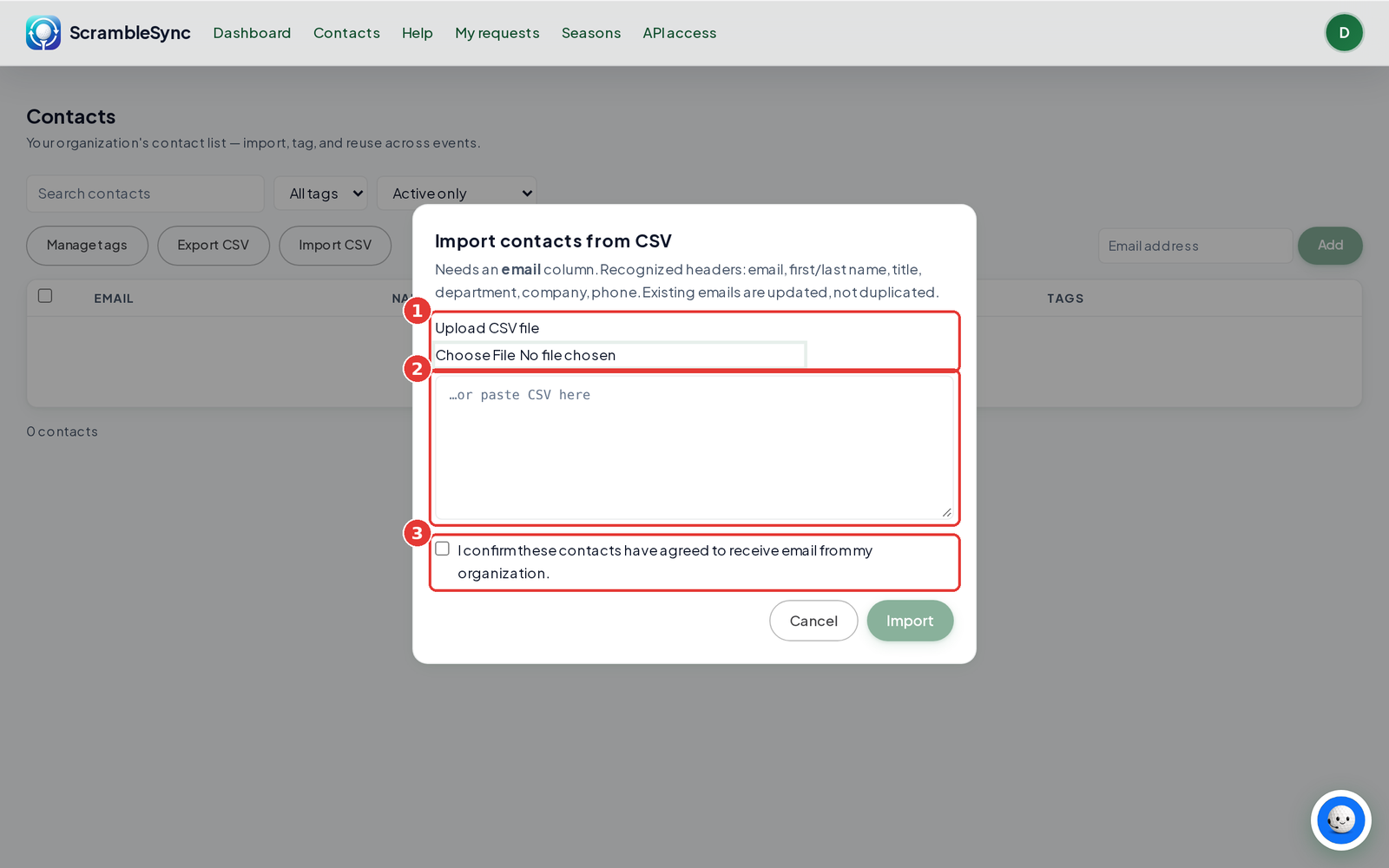
Click Import CSV. Upload a file or paste CSV text. It needs an email column. We also recognize first and last name, title, department, company, and phone. Existing emails are updated, not duplicated.
Confirm permission
Check the box confirming these contacts agreed to receive email from your organization, then click Import. A short report shows how many were added, updated, and skipped.
Tag and filter
Create tags
Click Manage tags, type a New tag (for example 'Sponsors 2026' or 'Volunteers'), and press Enter.
Tag people
Select contacts with the checkboxes, then use Add tag… to tag them all at once. Use Remove tag… to take it off.
Filter
Use All tags to show one tag, and the status filter (Active only, All, Suppressed only) to find people.
Export
Click Export CSV to download what you see.
Tips
- Tag by year and role (golfer, sponsor, volunteer) so next year's invitations are one filter away.
- Import after each event so new golfers are ready for next year.
- Use Search contacts to find one person fast.
Troubleshooting
| If you see this | Try this |
|---|---|
| 'Couldn't import that file' | Make sure the first row has an email column header. |
| Someone shows as suppressed | They unsubscribed or their email bounced. We won't email them. They can opt back in from a future invitation. |
| 'No organization on your account yet' | Your login isn't linked to an organization. Email [email protected]. |
Frequently asked questions
Are contacts shared across my events?
Yes. Contacts belong to your organization, so every event can use them.
Will importing create duplicates?
No. If an email is already on the list, we update that contact.
How do I remove someone completely?
Use Delete contact. To erase someone's personal data everywhere, see Remove someone's personal data.