
Net score while a team is still playing
Quick answer
On the Settings tab, use Net score while a team is still playing. Use the whole handicap (the default) takes a team's full handicap off from the first hole. Use the part that matches the holes played takes off a share, so a team on hole 9 of 18 gets half. Finished teams always get their whole handicap.
On this page
Why it matters
With the whole handicap, a team that has only played a few holes can jump to the top of the Net board early. Using the part that matches the holes played keeps the live Net board fair during a shotgun. Final results are the same either way.
Change the setting
Open the Settings tab
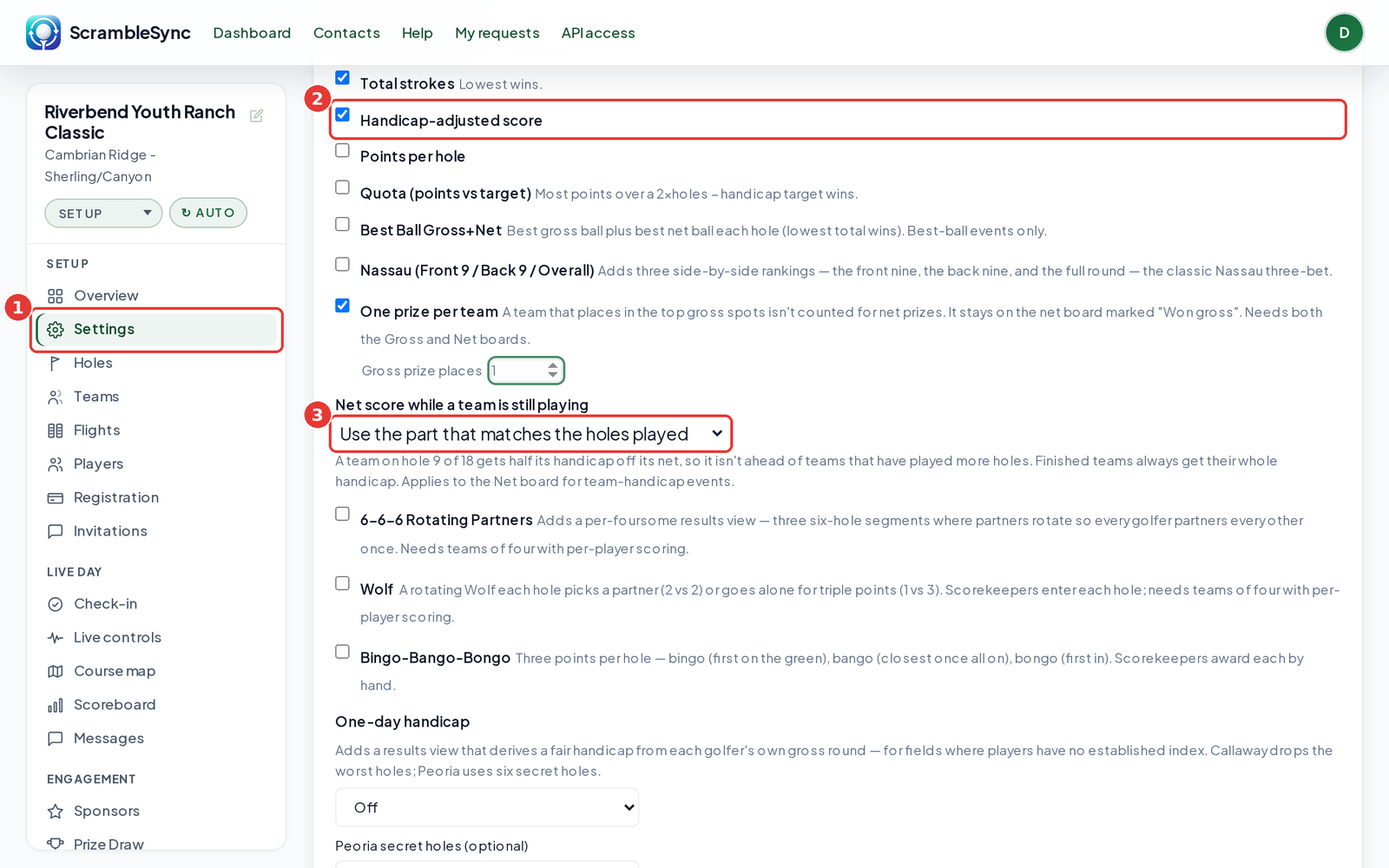
In your tournament sidebar, click Settings.
Make sure the Net board is on
Check Handicap-adjusted score.
Pick an option
Under Net score while a team is still playing, choose Use the whole handicap (default) or Use the part that matches the holes played.
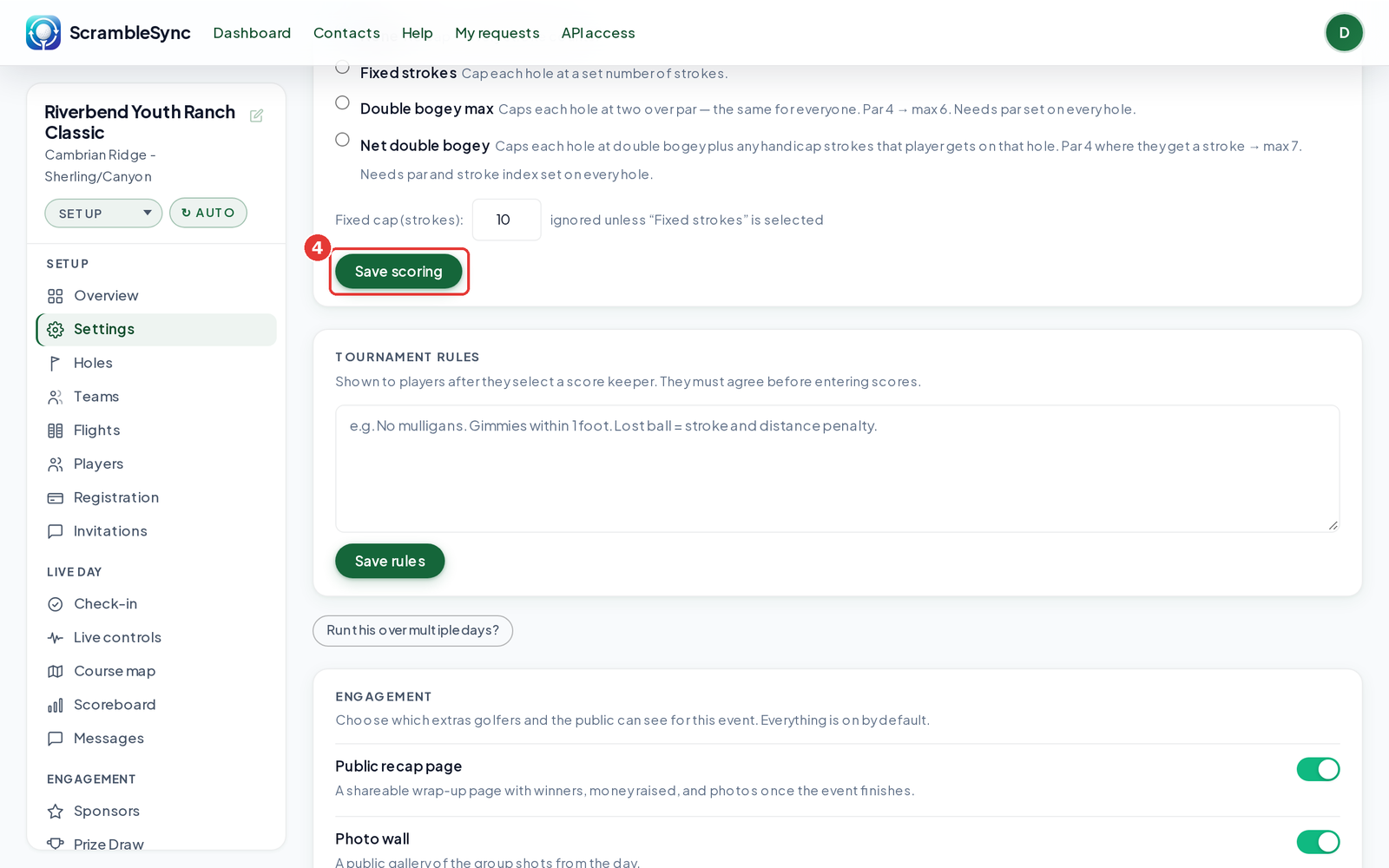
Click Save scoring
The Net board updates right away.
An example
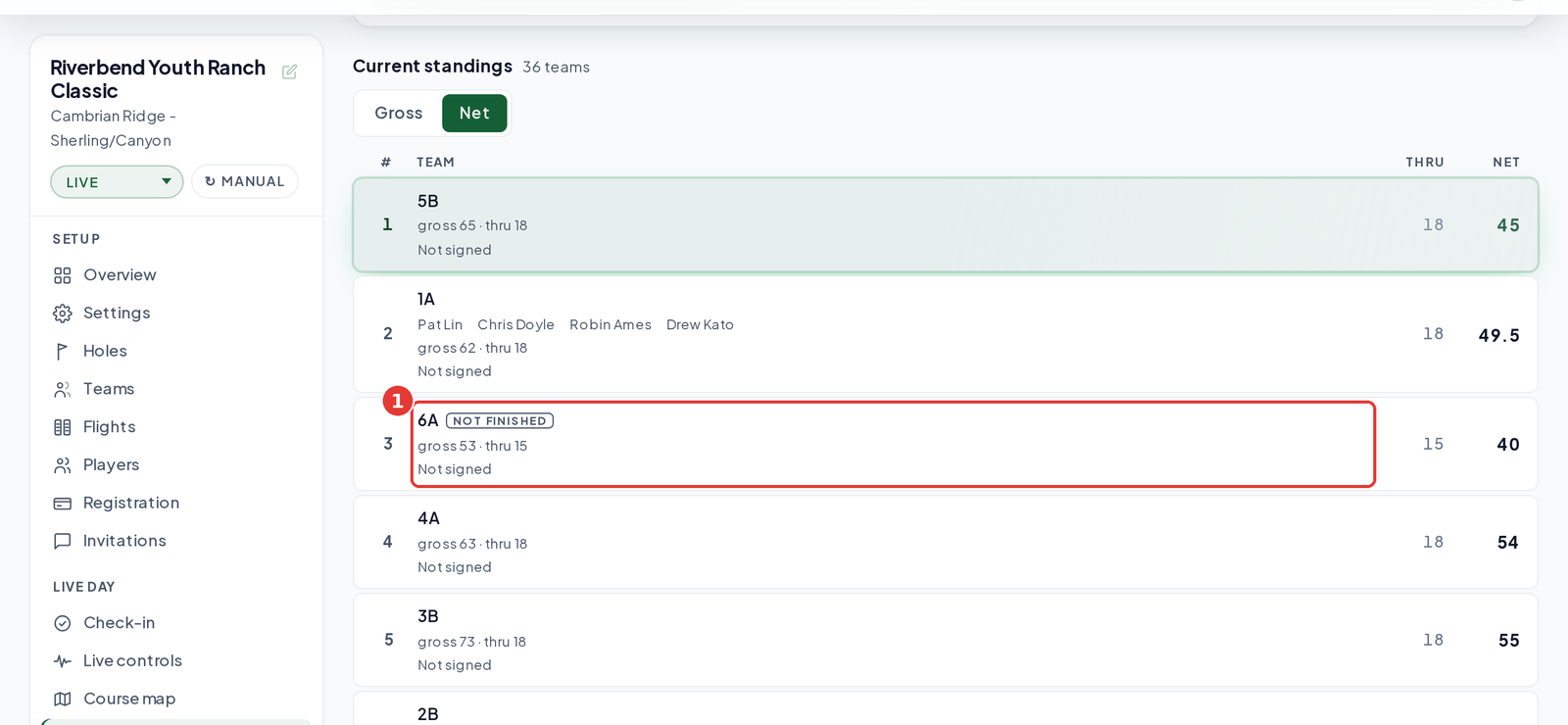
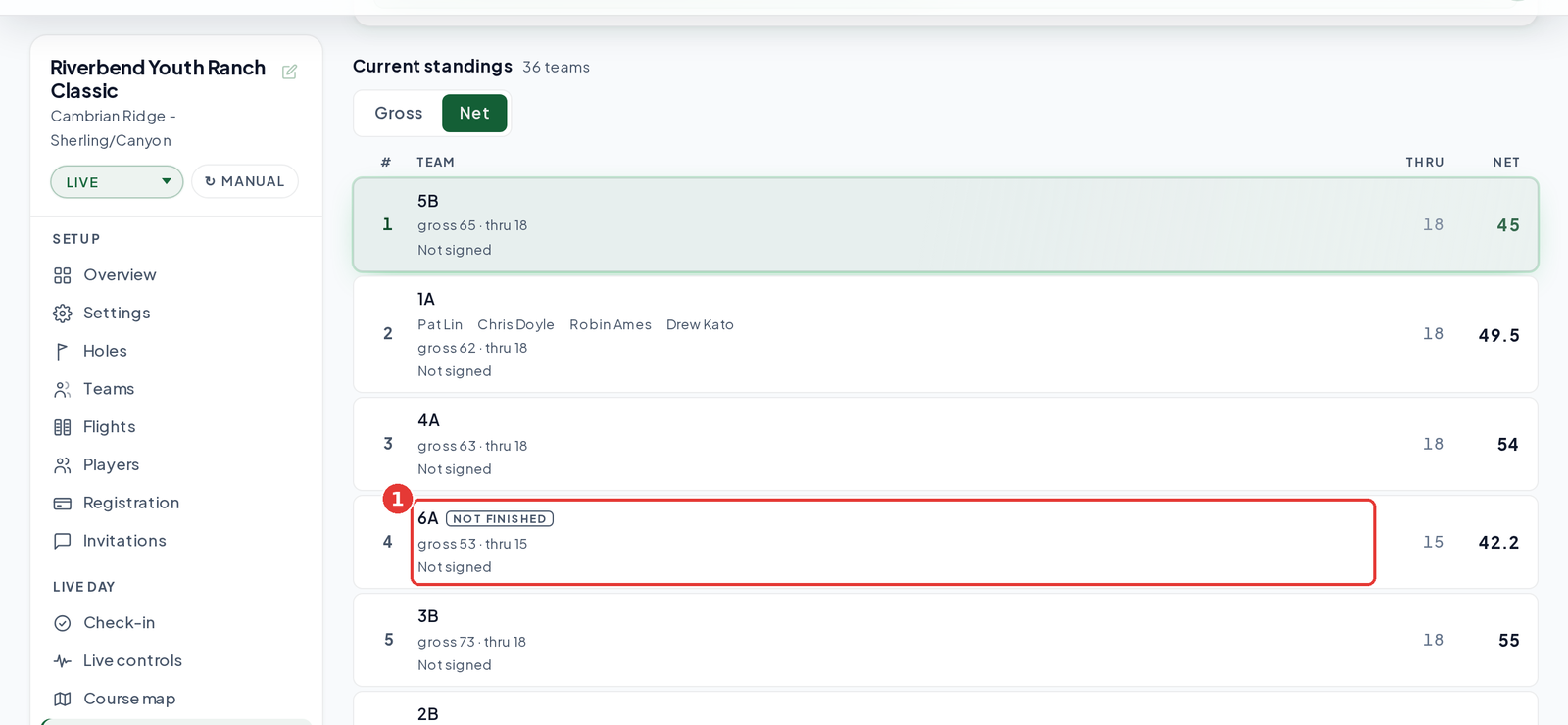
Team 6A has a team handicap of 13 and is 53 through 15 holes.
| Setting | Handicap taken off | 6A's net |
|---|---|---|
| Use the whole handicap | 13 | 40 |
| Use the part that matches the holes played | 13 × 15 ÷ 18 = 10.8 | 42.2 |
Frequently asked questions
Does this change final results?
No. Once a team finishes, it always gets its whole handicap.
Which events does it apply to?
The Net board for events that use a team handicap, like a scramble. Best-ball net uses each golfer's own handicap.