
Unfinished scorecards: how they're ranked and flagged
Quick answer
A card that hasn't scored every hole shows a Not finished badge. During play it ranks by its score so far. Once you set the event to Final, unfinished cards drop below every finished card and can't take a prize place. Your results export marks them Incomplete with the holes played.
On this page
During play
While the event is live, an unfinished card ranks by its score so far. The Not finished badge tells everyone it isn't done yet. When two cards are level, the finished one ranks ahead.
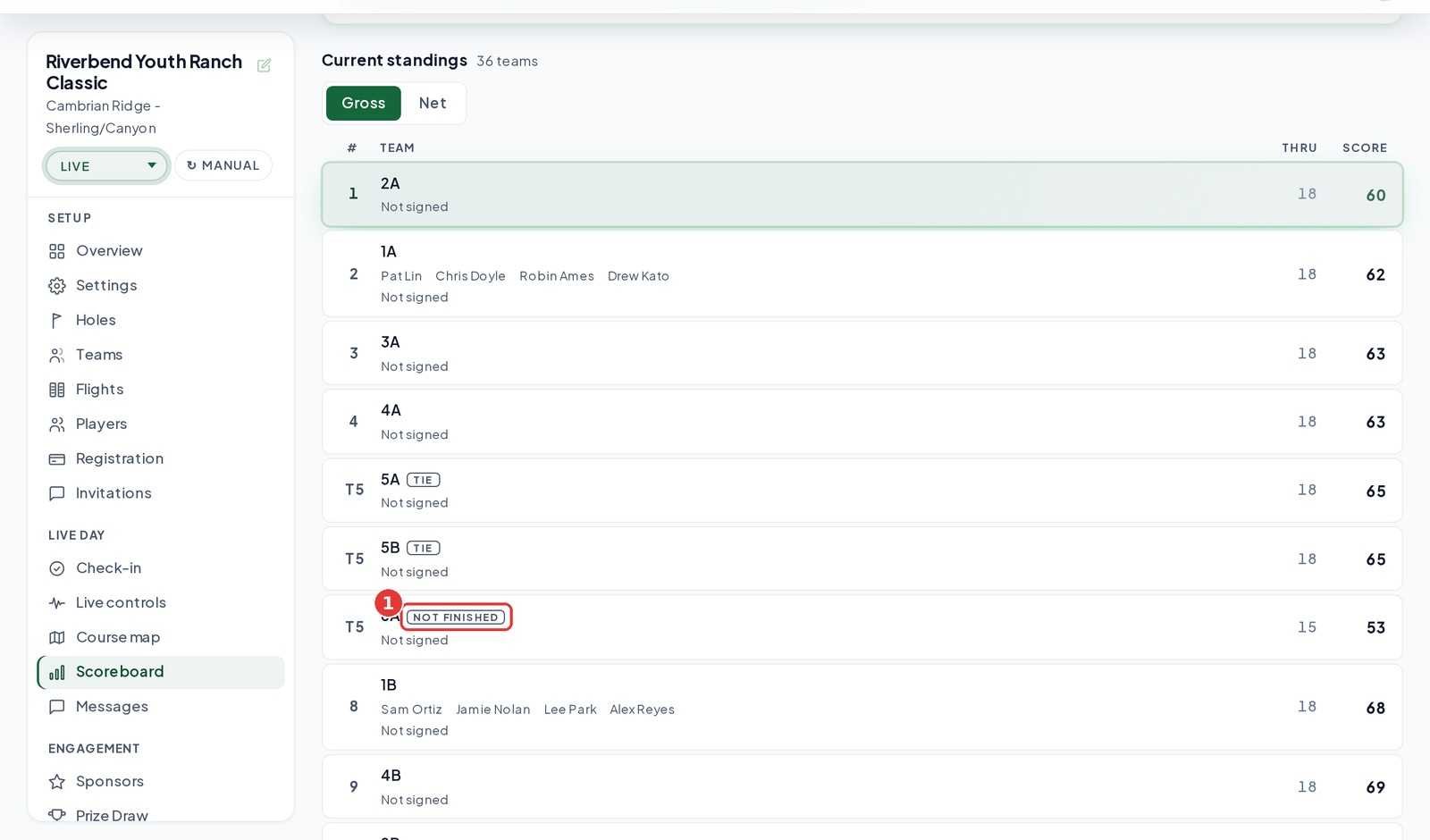
After you set the event to Final
Set the status to Final
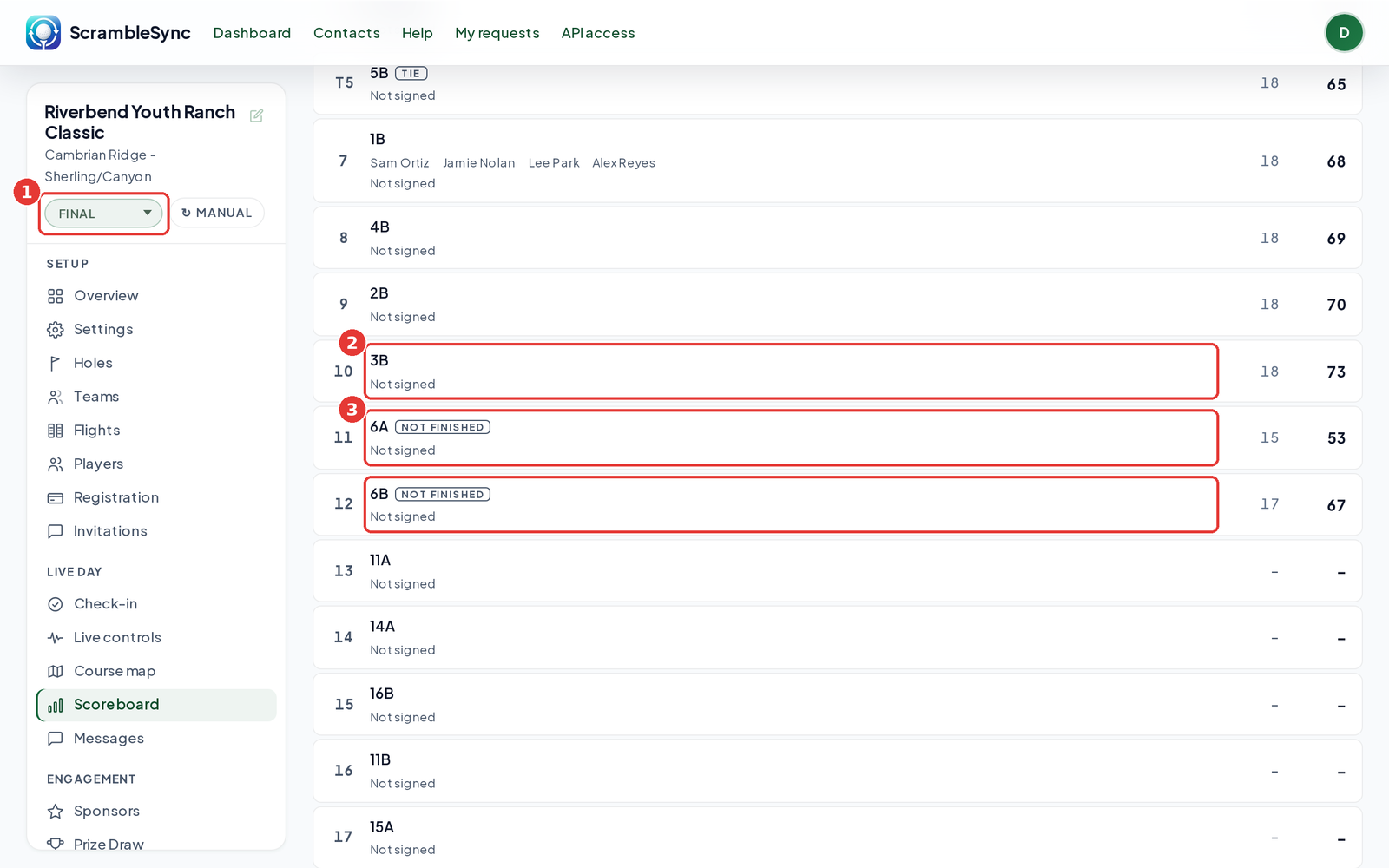
Use the status list at the top of your tournament sidebar and choose Final.
Check the finished cards
Every finished card keeps its place, from first to last.
Find the unfinished cards
They now rank below every finished card, still with the Not finished badge. Teams that never started come after them.
In your results export
Open the Overview tab
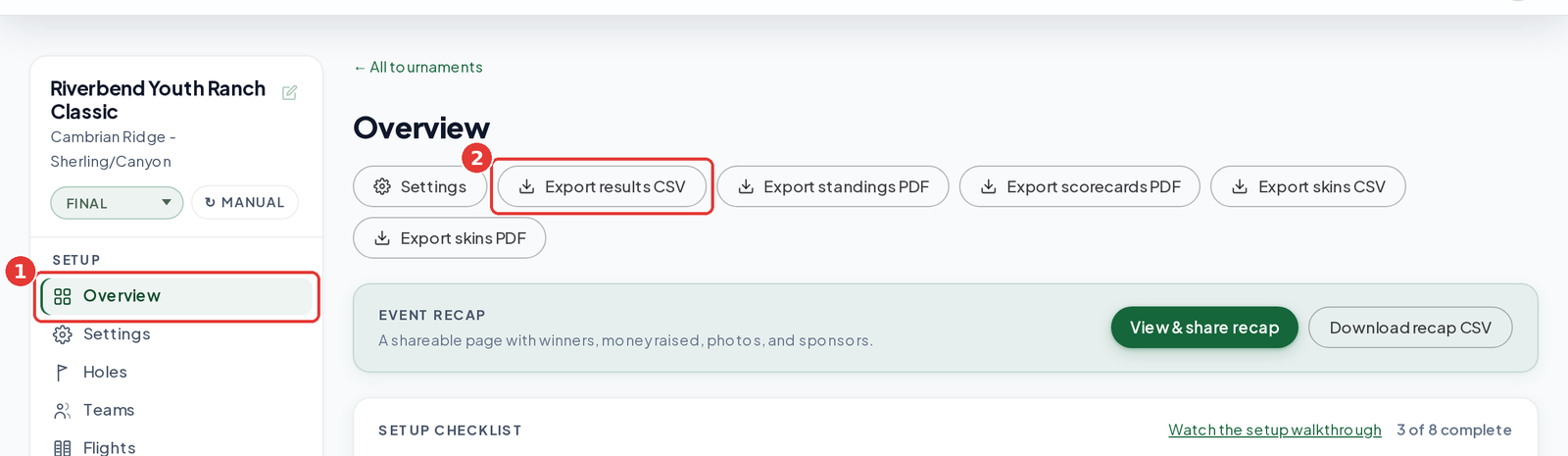
In your tournament sidebar, click Overview.
Click Export results CSV
Open the file in your spreadsheet app.
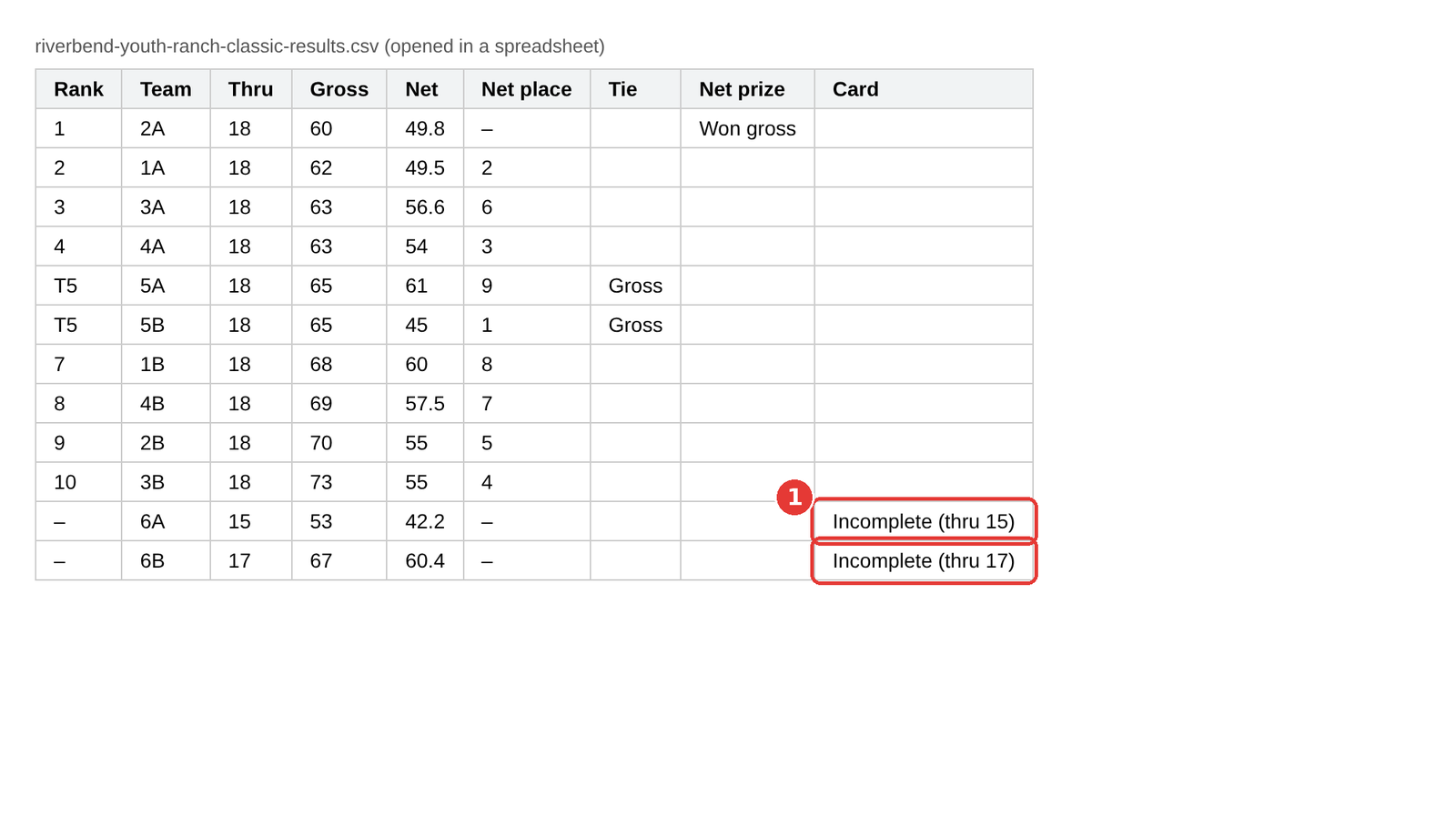
Check the Card column
Unfinished cards read Incomplete with the holes played, for example 'Incomplete (thru 15)'. Teams that never started read 'Incomplete (thru 0)'.
Frequently asked questions
Can an unfinished card win?
Not once the event is Final. It ranks below every finished card and can't take a prize place.
How does a team finish its card?
By scoring every hole. If a hole is missing, open the Scoreboard tab, expand Enter a team score by hand, pick the team, choose Hole by hole, and type just the missing hole. Holes you leave blank are not changed. The card counts as finished once every hole has a score.
Do I have to set Final myself?
Not if your event is on automatic status. A live event moves to Final once there has been no scoring for 60 minutes. The check runs every so often, so allow a little extra time. If you have changed the status yourself, it stays as you set it. See Tournament status and lifecycle.