
Set a team handicap for net scoring
Quick answer
Open the Teams tab and type a number into the Team handicap box on each team's row. Use 0 to 54, or leave it blank to clear it. ScrambleSync does not work out team handicaps. You decide the number and enter it. On the Net board, a team's net score is its total strokes minus its team handicap.
On this page
Overview
Enter a handicap for each team on the Teams tab so the Net board works. You decide the number.
Who this is for
Organizers running a Net board.
Enter a team handicap
Open the Teams tab
In your tournament sidebar, click Teams. Each team's card shows its starting hole and a box labeled Team handicap. An empty box shows 0 to 54.
Type the handicap
Enter a number from 0 to 54. One decimal place is allowed, for example 12.5.
Press Enter or click away
The number saves when you leave the box. If the number isn't allowed, the box goes back to what it was and a red message tells you why.
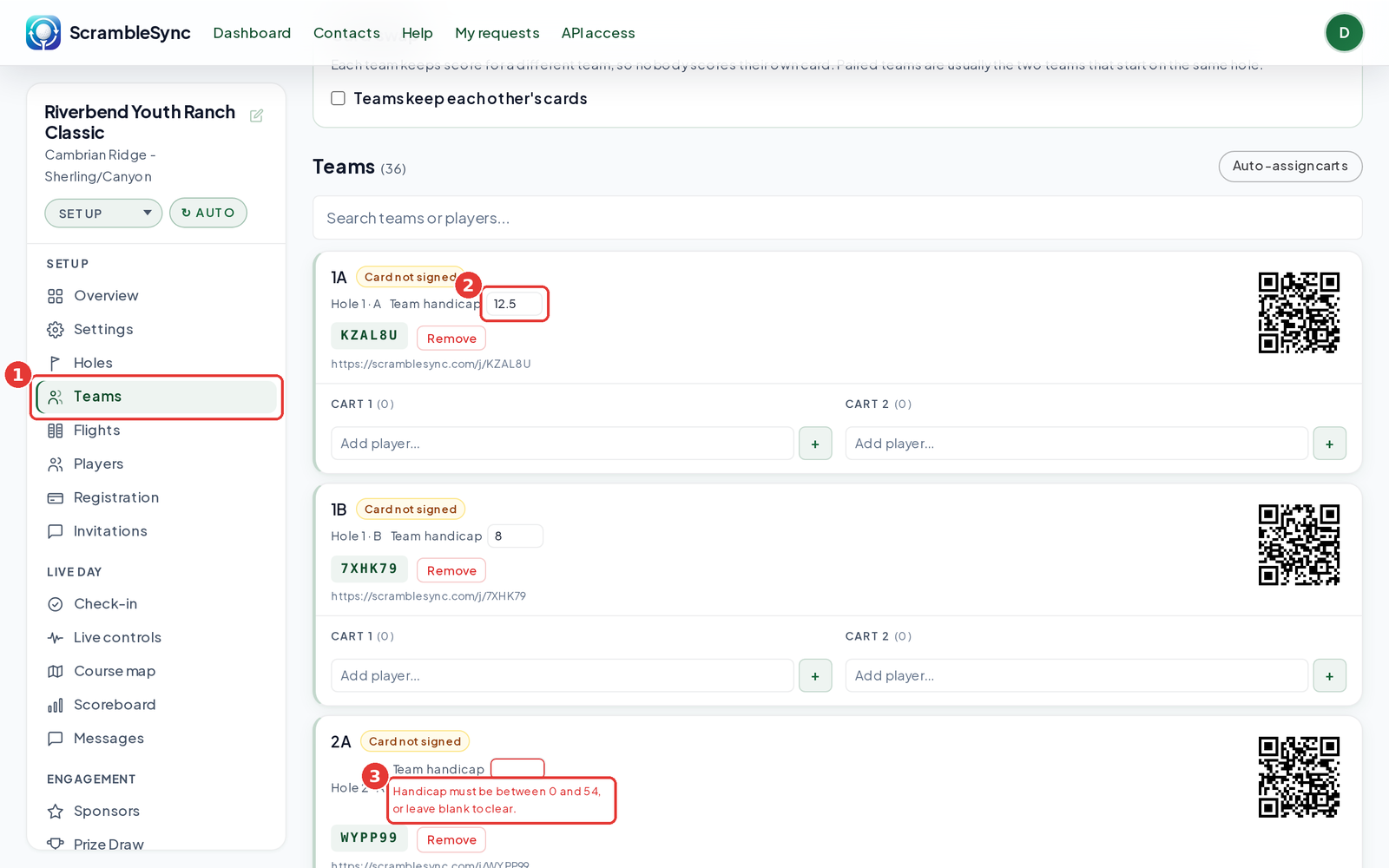
To remove a handicap, clear the box and click away. The team goes back to having no handicap.
You decide the number
There is no handicap calculator. Work out each team's handicap the way your event does it (for example, a share of the players' handicaps) and type the result in. ScrambleSync uses exactly the number you enter.
How it affects the Net board
| Situation | Net score |
|---|---|
| Team has a handicap (scramble and other one-ball team formats) | Total strokes minus the team handicap. |
| Team has no handicap | Net equals gross. Nothing is subtracted. |
| Best-ball or shamble event | Net uses each golfer's own handicap from the Players tab. The team handicap is not used. |
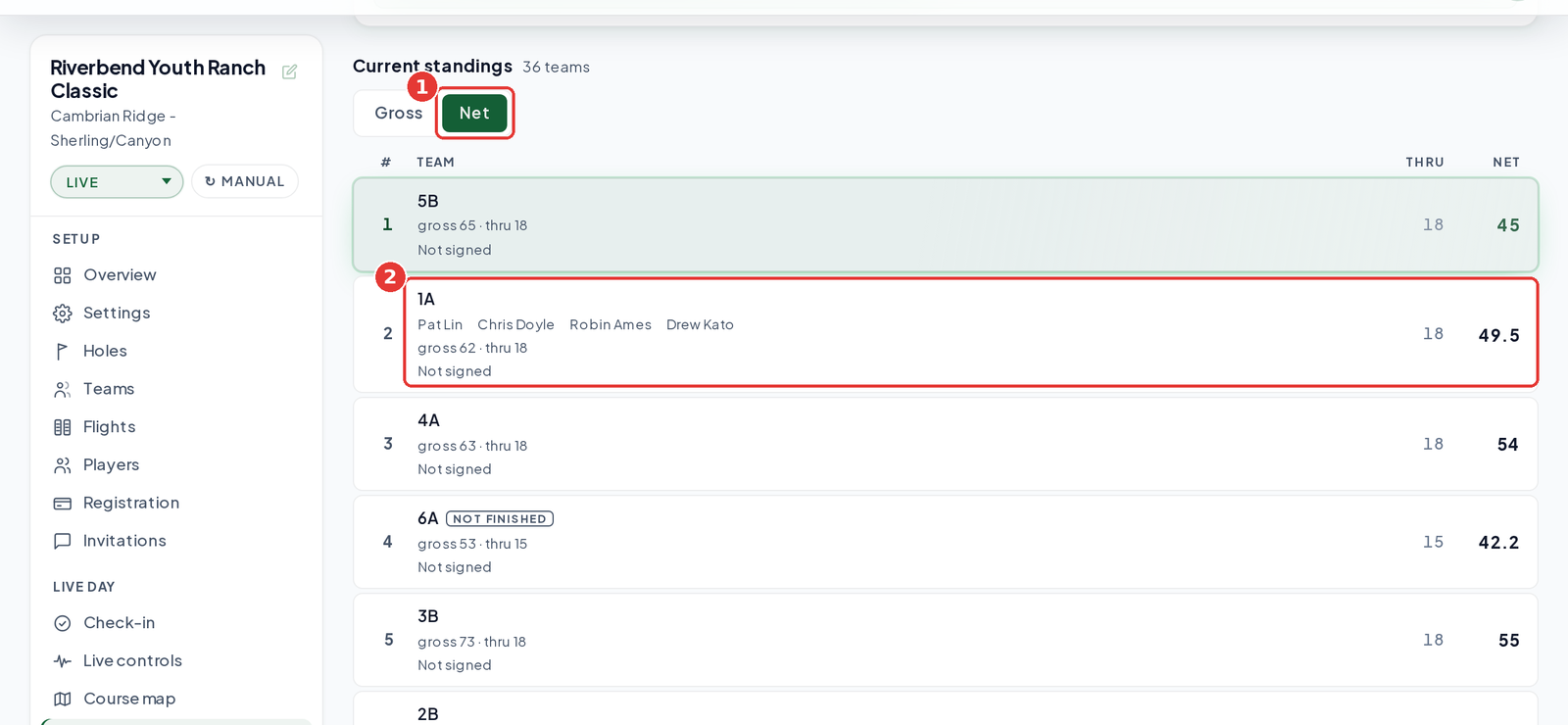
Check your work on the Scoreboard. Open Scoreboard and switch Current standings to Net.
Tips
- Agree on your handicap method (for example a percentage of combined handicaps) before the event, then enter the results.
- Leave the box blank to clear a handicap.
Troubleshooting
| If you see this | Try this |
|---|---|
| Net matches Gross | No team handicaps are set. Enter them on the Teams tab. |
| The number won't save | Use a number from 0 to 54. |
Frequently asked questions
Does ScrambleSync calculate my team handicap?
No. You enter the number yourself on the Teams tab. ScrambleSync does not apply any scramble handicap formula.
What numbers are allowed?
Anything from 0 to 54. Leave the box blank to clear the handicap.
Can I change a team handicap after play has started?
Yes. The Net board uses the new number. If you change handicaps mid-event, tell your teams, since it can change who is leading on net.
My Net board looks the same as the Gross board.
Teams without a handicap have a net score equal to their gross score. Enter handicaps on the Teams tab.