
Generate teams for a shotgun start
Quick answer
On the Teams tab, open Generate teams, pick the Number of holes and Teams per hole, then click Generate teams and Confirm. ScrambleSync names each team by its starting hole (1A, 1B, 2A, 2B and so on) and gives each one a join code and QR code. 18 holes with 2 teams per hole makes 36 teams.
On this page
Generate your teams
Open the Teams tab
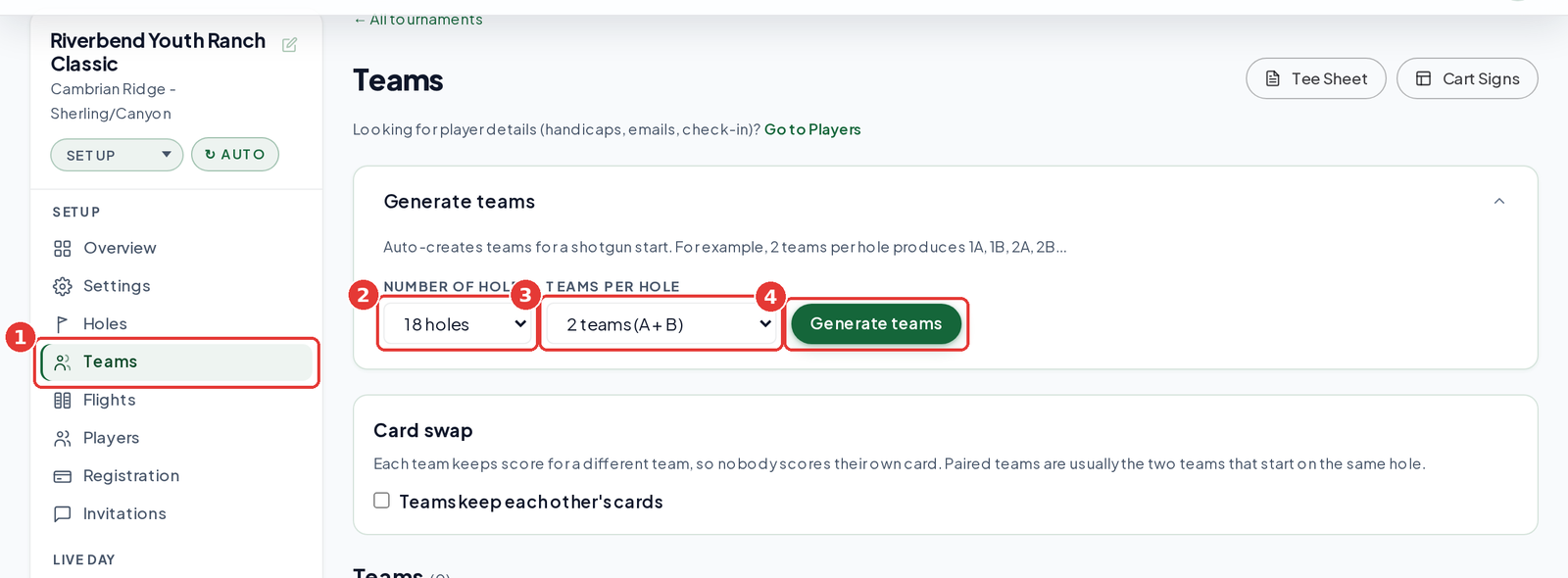
In your tournament sidebar, click Teams, then open Generate teams.
Pick the Number of holes
9 holes or 18 holes.
Pick Teams per hole
From 1 team (A only) up to 4 teams (A + B + C + D).
Click Generate teams
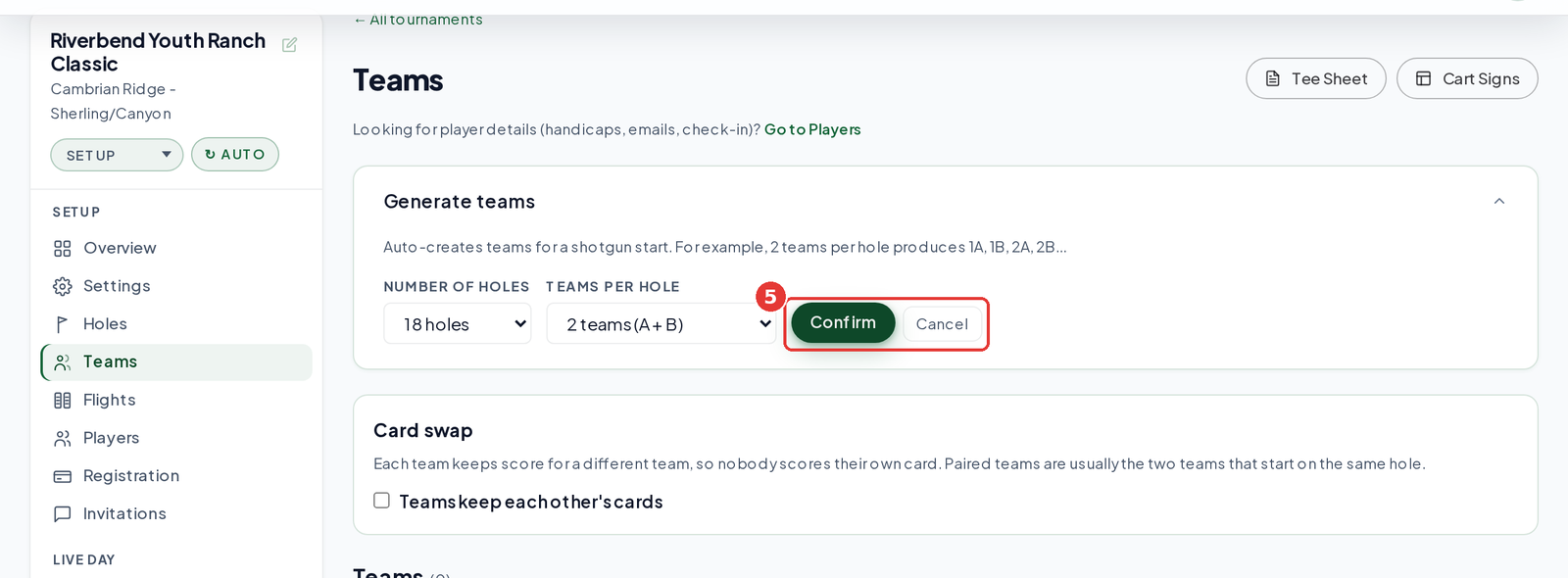
The button turns into Confirm and Cancel.
Click Confirm
This replaces all existing teams and their player codes, so only do it before you share codes.
Check your list
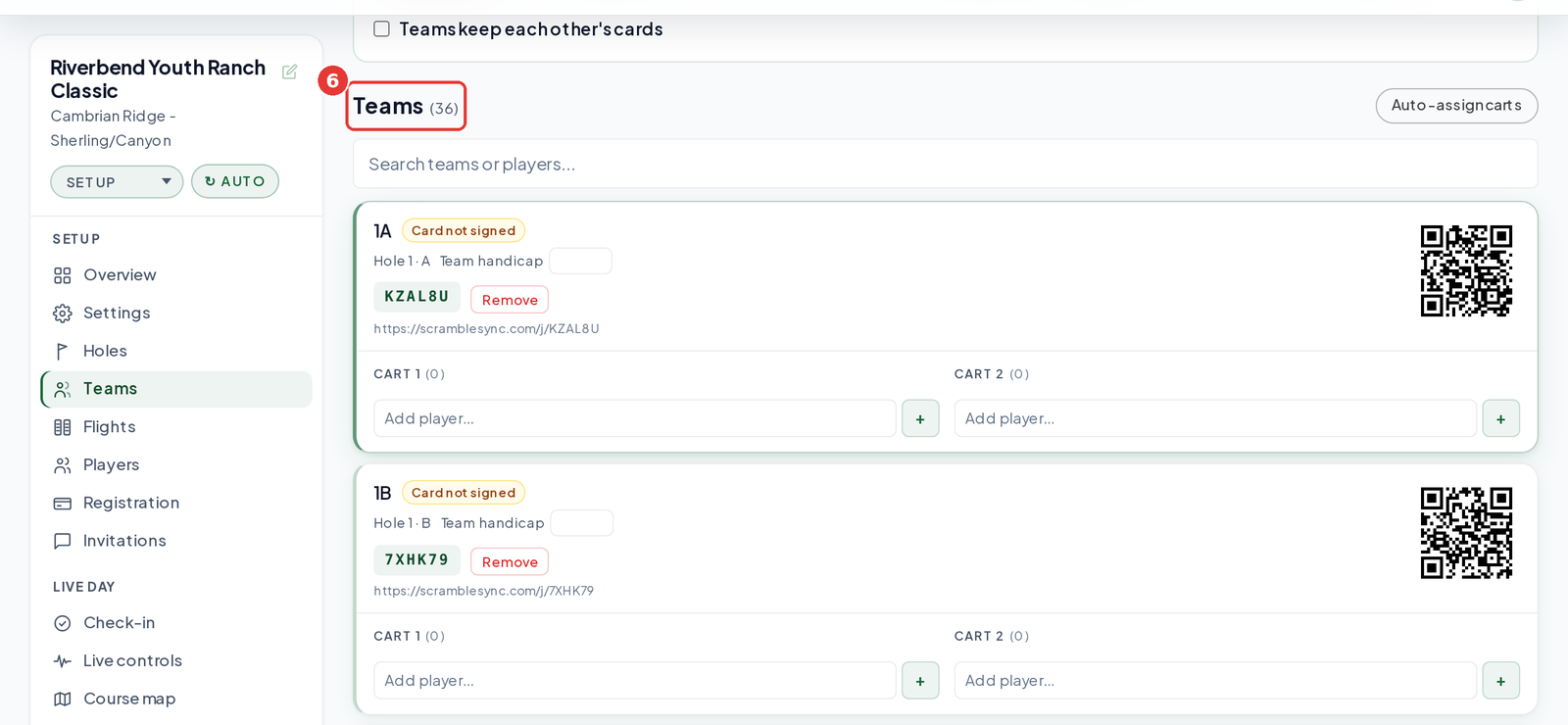
The Teams heading shows the count, for example Teams (36). Each card shows its starting hole, for example Hole 1 · A.
| Holes | Teams per hole | Teams made |
|---|---|---|
| 18 | 1 | 18 (1A to 18A) |
| 18 | 2 | 36 (1A to 18B) |
| 18 | 3 | 54 (1A to 18C) |
| 18 | 4 | 72 (1A to 18D) |
| 9 | 2 | 18 (1A to 9B) |
Next steps
- Add players to each cart from the team cards, or import them on the Players tab.
- Enter team handicaps if you're running a Net board.
- Turn on card swap if teams on the same hole should keep each other's cards.
- Print with Cart Signs or Tee Sheet at the top of the Teams tab.
- Need a team on a different hole? Open Live controls, pick a Hole and Group for the team under Teams on course, and click Move. Team cards on the Teams tab don't edit the hole.
Frequently asked questions
What if I have an odd number of teams?
Generate the closest size, then remove the extras with Remove on their team cards.
Can I change a team's starting hole after generating?
Yes. Open Live controls, find the team under Teams on course, pick a new Hole and Group, and click Move. It works after play has started, too.